Beginning Summer 2026 Student Registration Appointments are created and managed directly in Vergil. Historic data (pre-summer 2026) will continue to be available in SIS mainframe.
Registration Appointment Schedules and Registration Groups will continue to be created and maintained by the Office of the University Registrar. Designated School administrators will be able to do the following for current and future terms:
- View student Registration Groups and Appointment Schedules via the Student Academic Records page.
- Assign student Registration Groups via the Student Academic Records Page.
- See historic records / logs of changes to Registration Group assignments.
For assistance with managing student registration groups or appointment schedules, please contact:
- All Morningside and Manhattanville Schools: [email protected].
- CUIMC Schools and Programs: [email protected].
Managing Student Registration Groups (Ad Hoc)
As part of the Vergil Registration Appoinment toolkit, administrators with access to student records will be able to assign/modify/remove their students' registration groups within the 'Admin' view of the Student Academic Records Page.
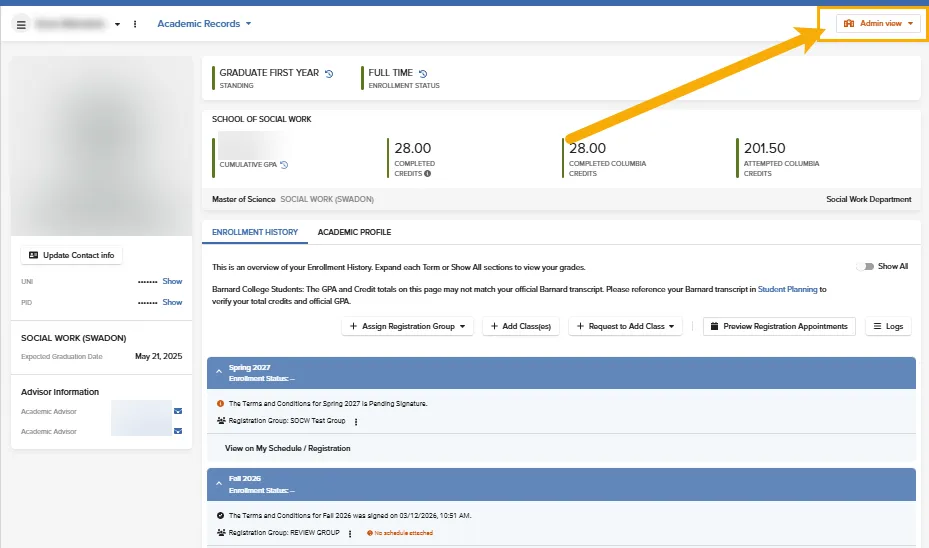
Adding a Registration Group (Ad-Hoc)
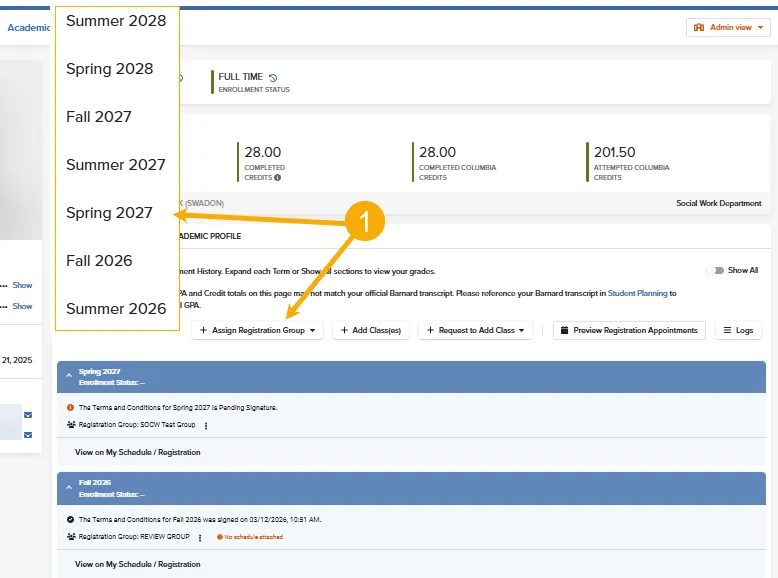
To add a student to a registration group or update their existing group for a term:
- Click on 'Assign a Registration Group+' to select the Term-Year (e.g., Spring 2027)
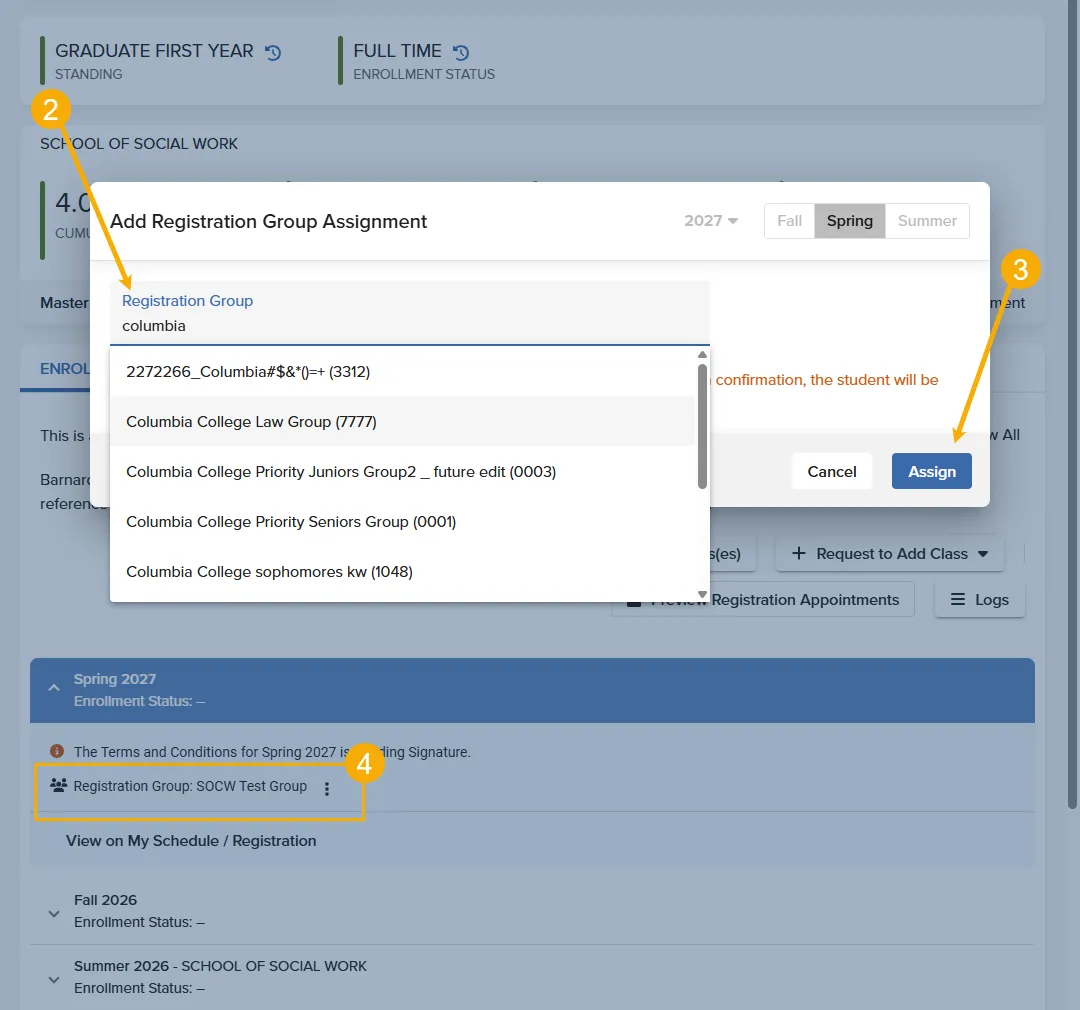
- Enter the Registration Group name or code
- Click 'Assign' to apply the new group to the student's record
- Expand the term window to confirm the the group is displayed on the student's record
Groups with a published Registration Appointment Schedule will be displayed as shown in the images below. Those without a configured schedule for the term, will display an orange 'No Schedule Attached' notice in Step 4.
Please note that if a group is not available upon searching, it may not have yet been created. Please confirm with the appropriate office at [email protected] or [email protected]
Removing a Student's Registration Group (Ad-Hoc)
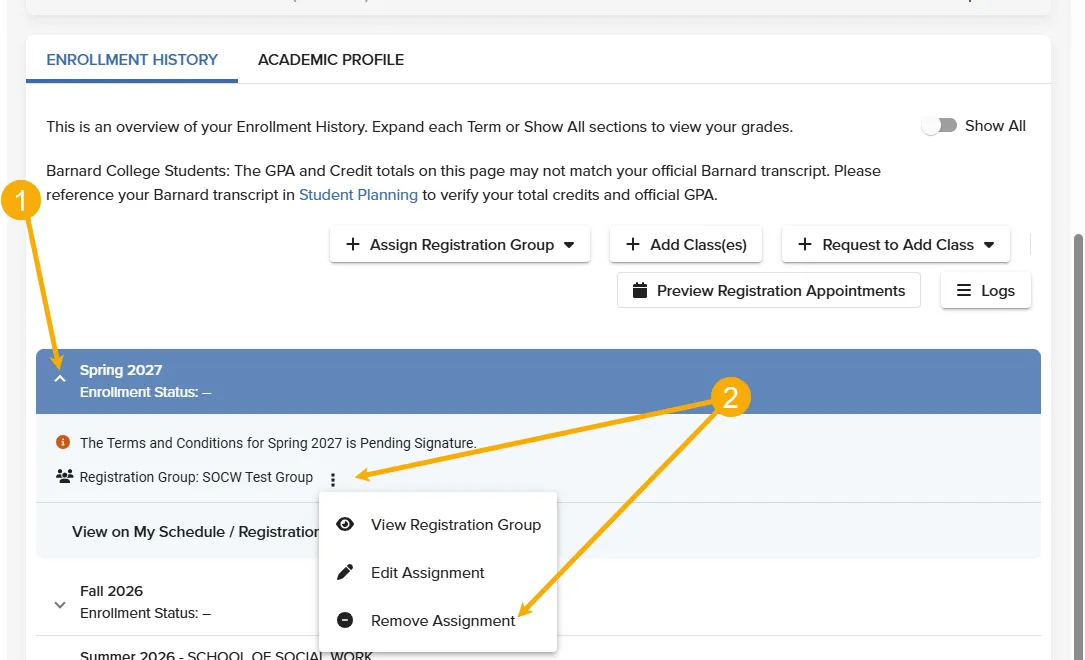
To remove a student's Registration Group and their registration appointment schedule:
- Expand the term window
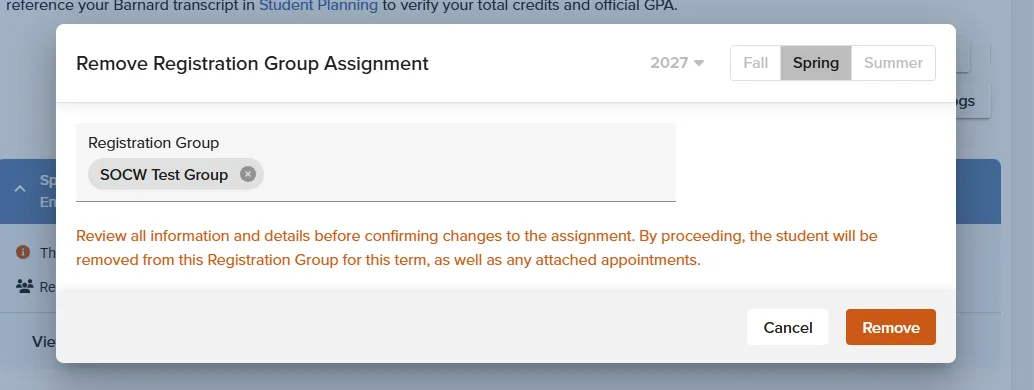
- Click on the three stacked vertical dots and select 'Remove Assignment
- Click 'Remove'
Please note that once a Registration Group has been removed, terms for which students have no course registration will also be removed from the Academic Records page.
Once a Registration Appointment for a group has been created for the term, students and administrators can view the Schedule across the Vergil platform. However, only administrators will be able to:
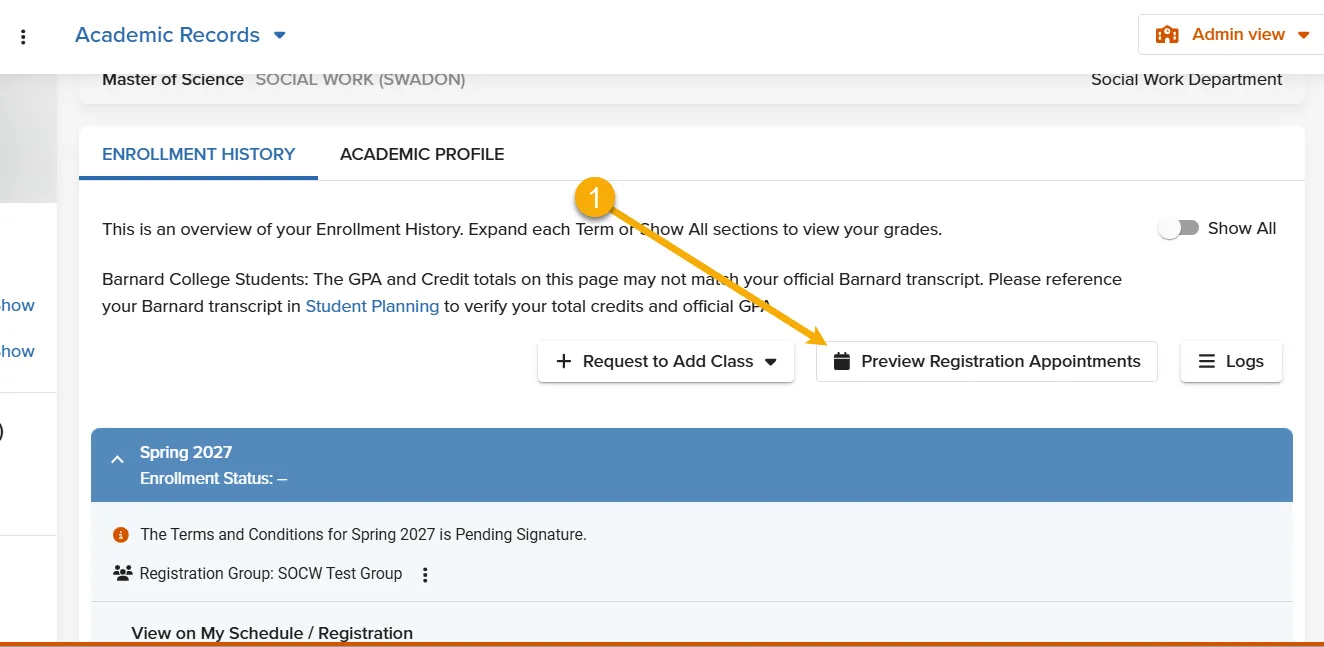
- View Registration Appointment Schedules using the 'Preview Registration Appointment' button.
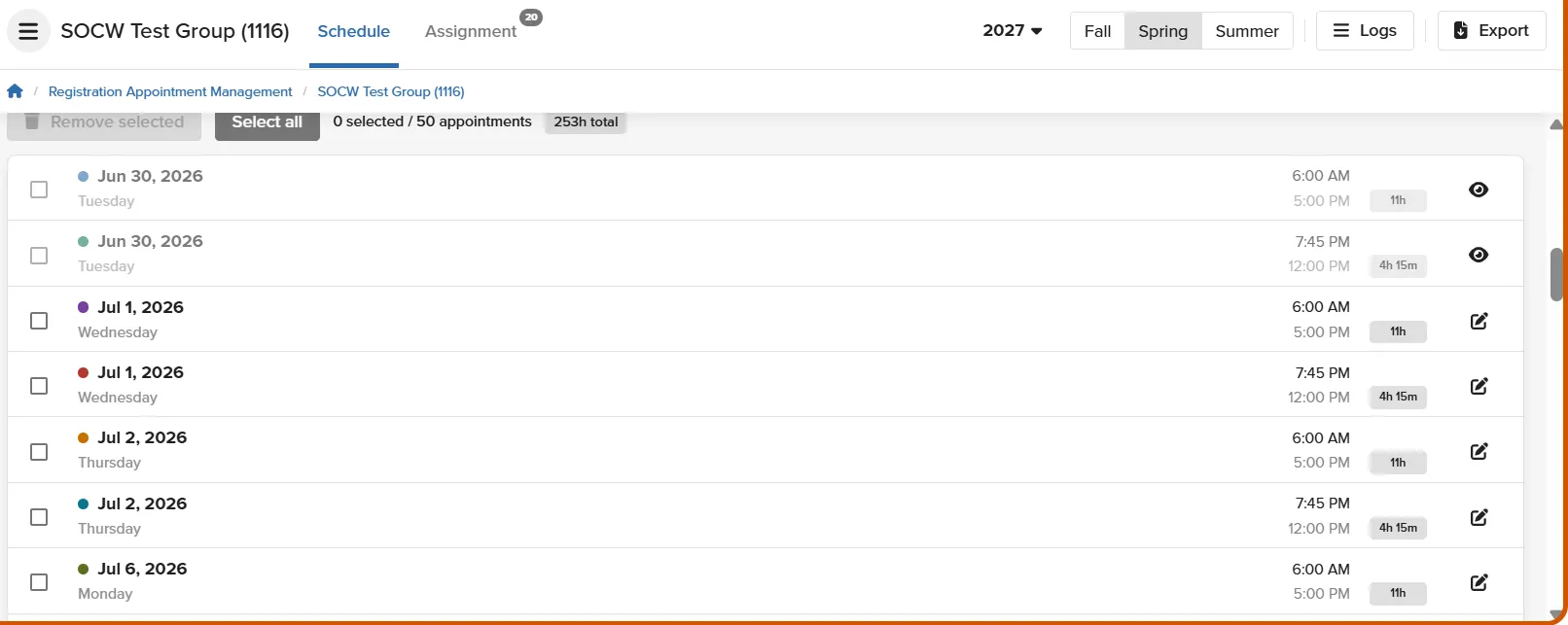
- View the Registation Appointment Schedule within the Registration Appointment Management page.
Please note that Registration Groups with no assigned appointment schedules for the term will display a 'No Schedule Attached' notice.
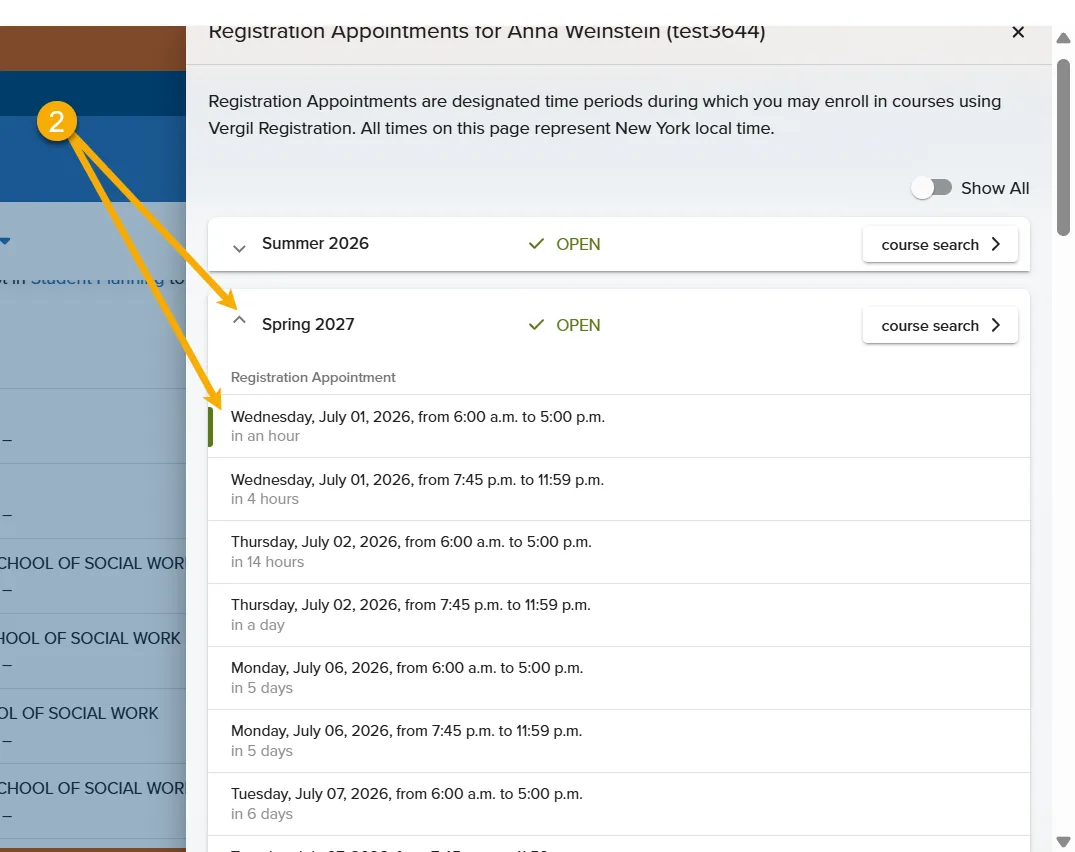
To view appointment times for active Registration Appointment Schedules:
- Click on 'Preview Registration Appointments
- Expand the desired term
- View the Registration Appointments time slots. The associated Registration Group will be located at the bottom of registration appointment list.
Alternatively:
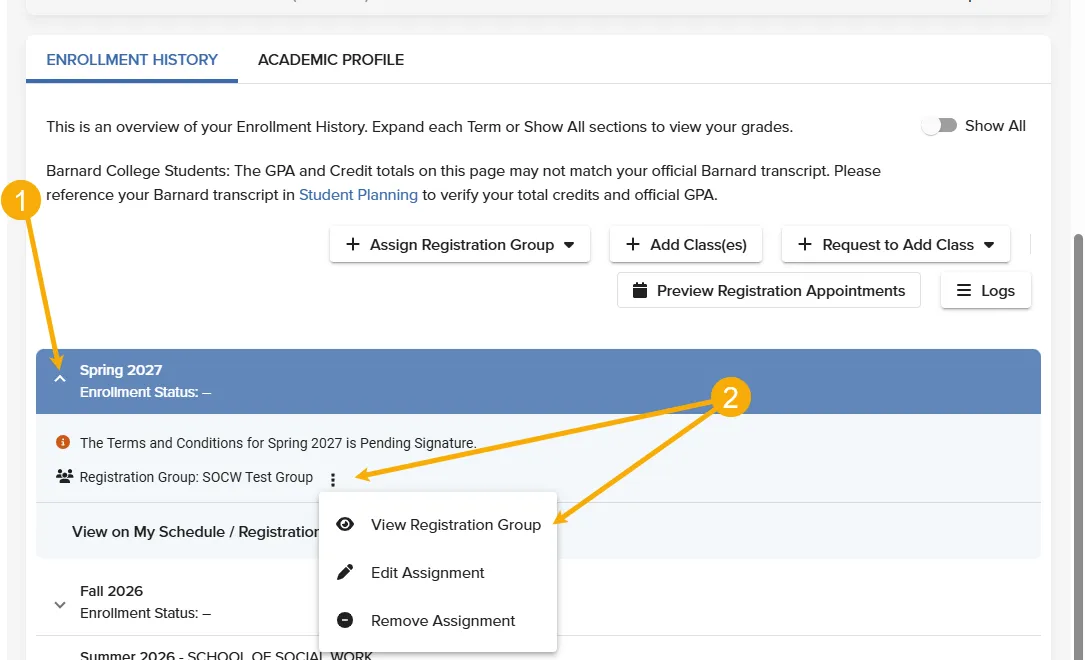
- Expand the term window and click on the three vertically stacked dots
- Select View Registration Group and review the Schedule time slots.