Setting Course Grading Options (P/D/F, P/F, or Standard)
As part of Vergil Registration and Enrollment, students can select their preferred Grading Option( P/D/F or Standard), either when initially registering for a course or after they have already registered for a course section. The steps are the same in both cases.
Additional Details on School Grading Scales and the variety of Grading Options are available on the Registrar Site: https://registrar.columbia.edu/content/student-grades
How to Set your Grading Option
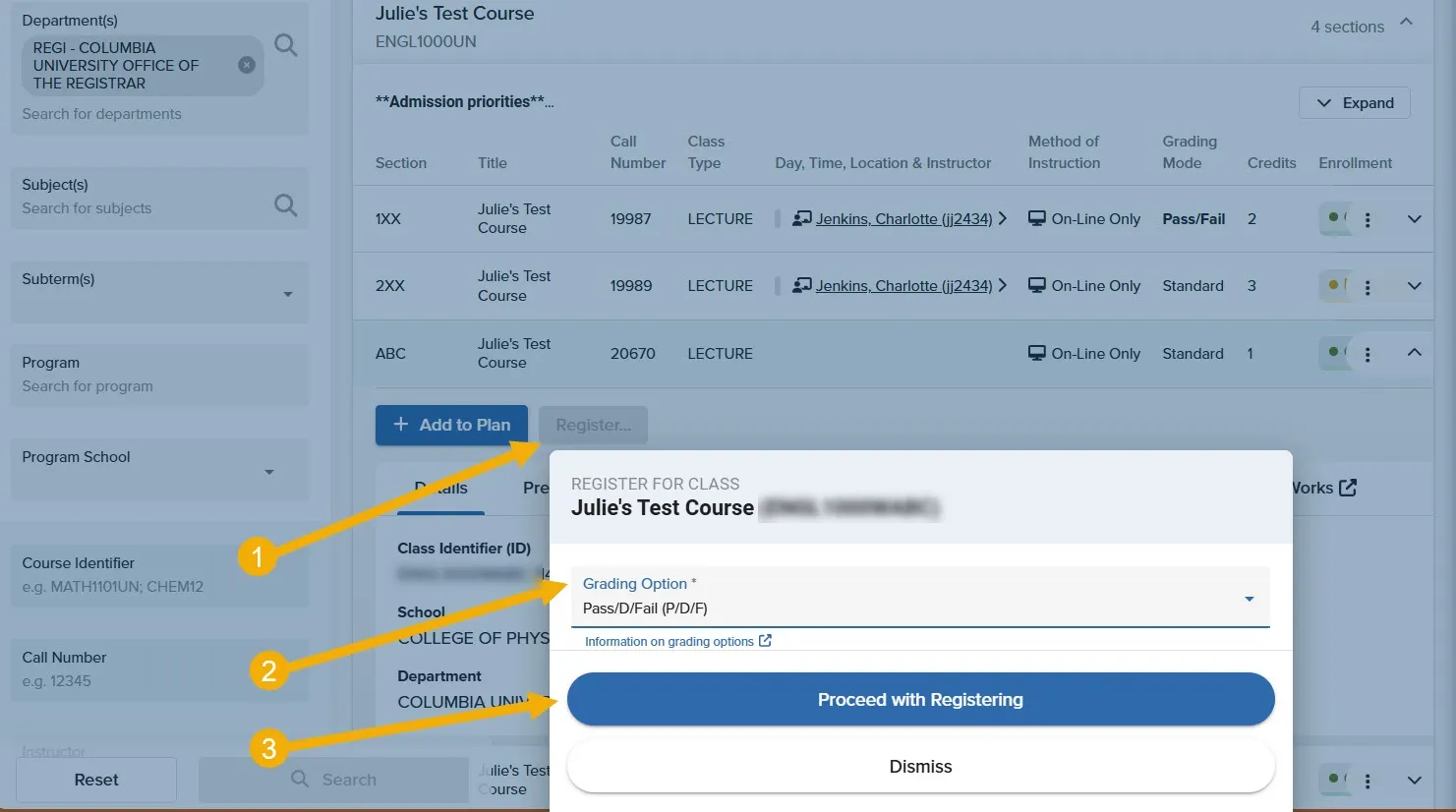
Follow the steps below if you wish to set your preferred Grading Option as you Register for Courses:
- Step 1. Expand the course details window.
- Step 2: Click on the blue 'Register' button to open the Registration modal.
- Step 2. Navigate to the Grading Option box and click to expand the options.
- Step 3. Select P/D/F, P/F, or Standard.
- Step 4. Confirm your option using the blue 'Register' button.
A few things to consider:
if the course registration or manage registration windows do not contain a Grading Option box, it may be because:
- Your school's set date for a student to elect to take a course as P/D/F has passed.
- The course section may not allow students to take the course as P/D/F.
If this occurs, please consult your advisor for more information.
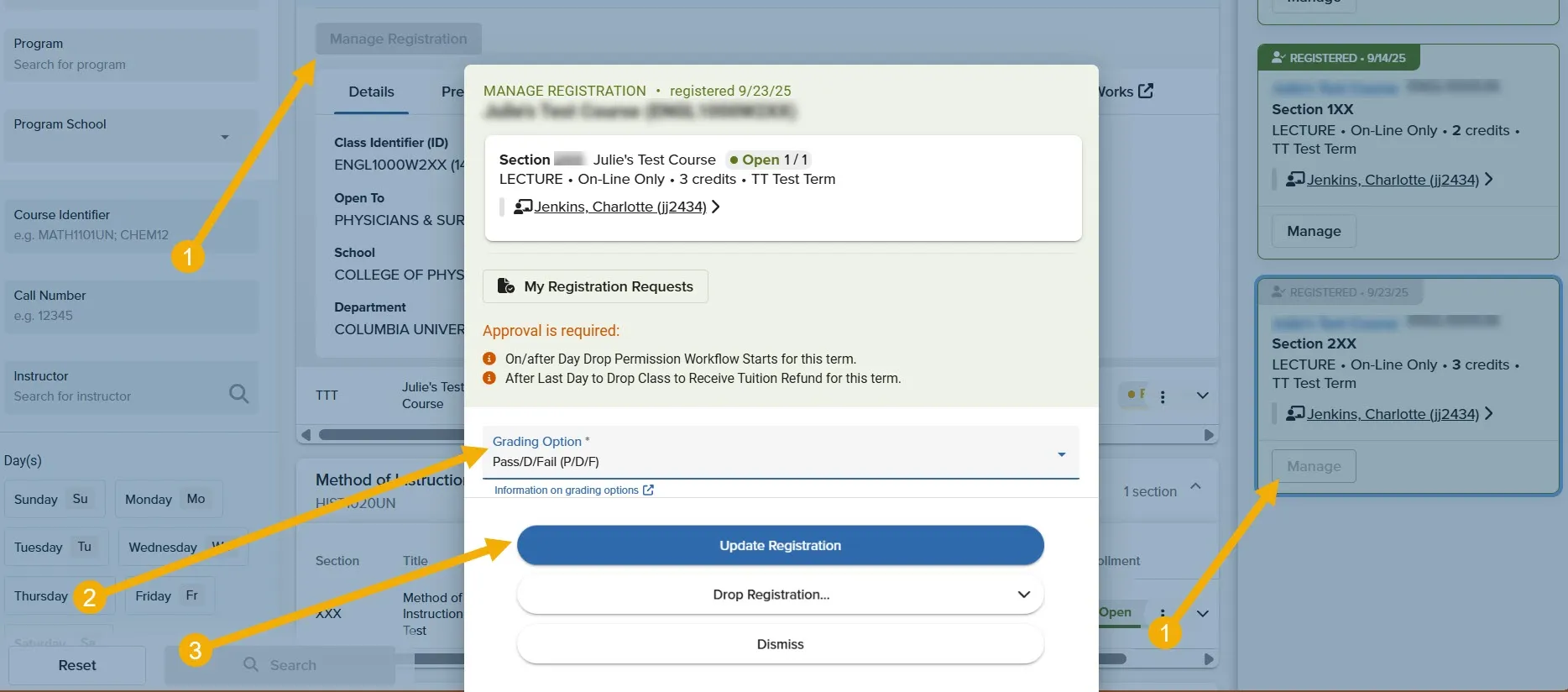
Follow the steps below if you wish to modify the Grading Option for a course you are already enrolled in:
- Step 1. Navigate to the My Schedule/Registration, Vergil Student Planner page or Planner Panel in the Vergil Course Search page.
- Step 2: Click on the blue 'Manage Registration Button' button to open the Manage Registration modal.
- Step 2. Navigate to the Grading Option box and click to expand the options.
- Step 3. Select P/D/F, P/F, or Standard.
- Step 4. Confirm your chosen option using the blue 'Register' button.
A few things to consider:
if the course registration or manage registration windows do not contain a Grading Option box, it may be because:
- Your school's set date for a student to elect to take a course as P/D/F has passed.
- The course section may not allow students to take the course as P/D/F.
If this occurs, please consult your advisor for more information.