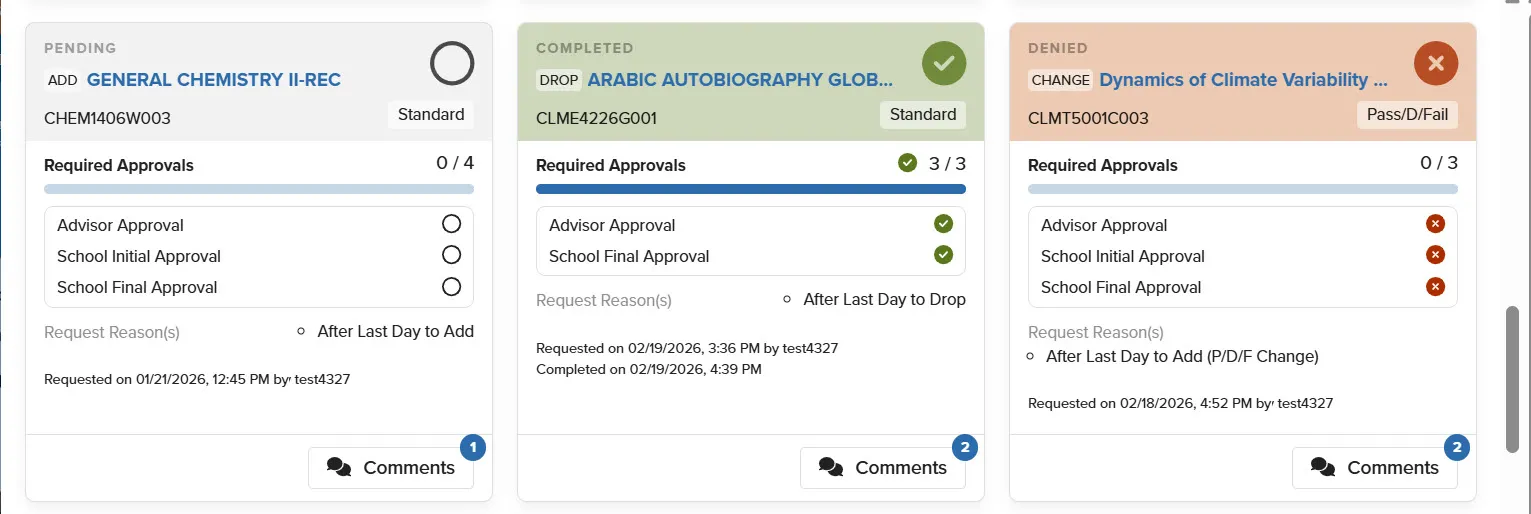
Beginning March 2026, Administrators are able to submit registration requests for students via the Student Academic Record page once all Student Registration in Vergil has concluded, meaning the Change of Program and Registration Adjustment Periods have ended. This process was designed to replace Registration Adjustment Forms and emails sent to the Student Service Center.
The following Petition options are available:
- Add/Drop Request
- Credit Change Request
- Grade Option Request
Important Notes
- All Petition Adjustment requests will require Registrar Approval before taking effect.
- Comments submitted as part of the request(s) will be visible to the student and approver(s).
Please reach out to [email protected] with any questions or to request more information on the Petitions process.
See below for additional information on submitting and managing requests.
Initiating Petition Requests
Add requests allow admins to submit a request to add a course to the student's current semester schedule. See below for instructions on submitting Add requests:
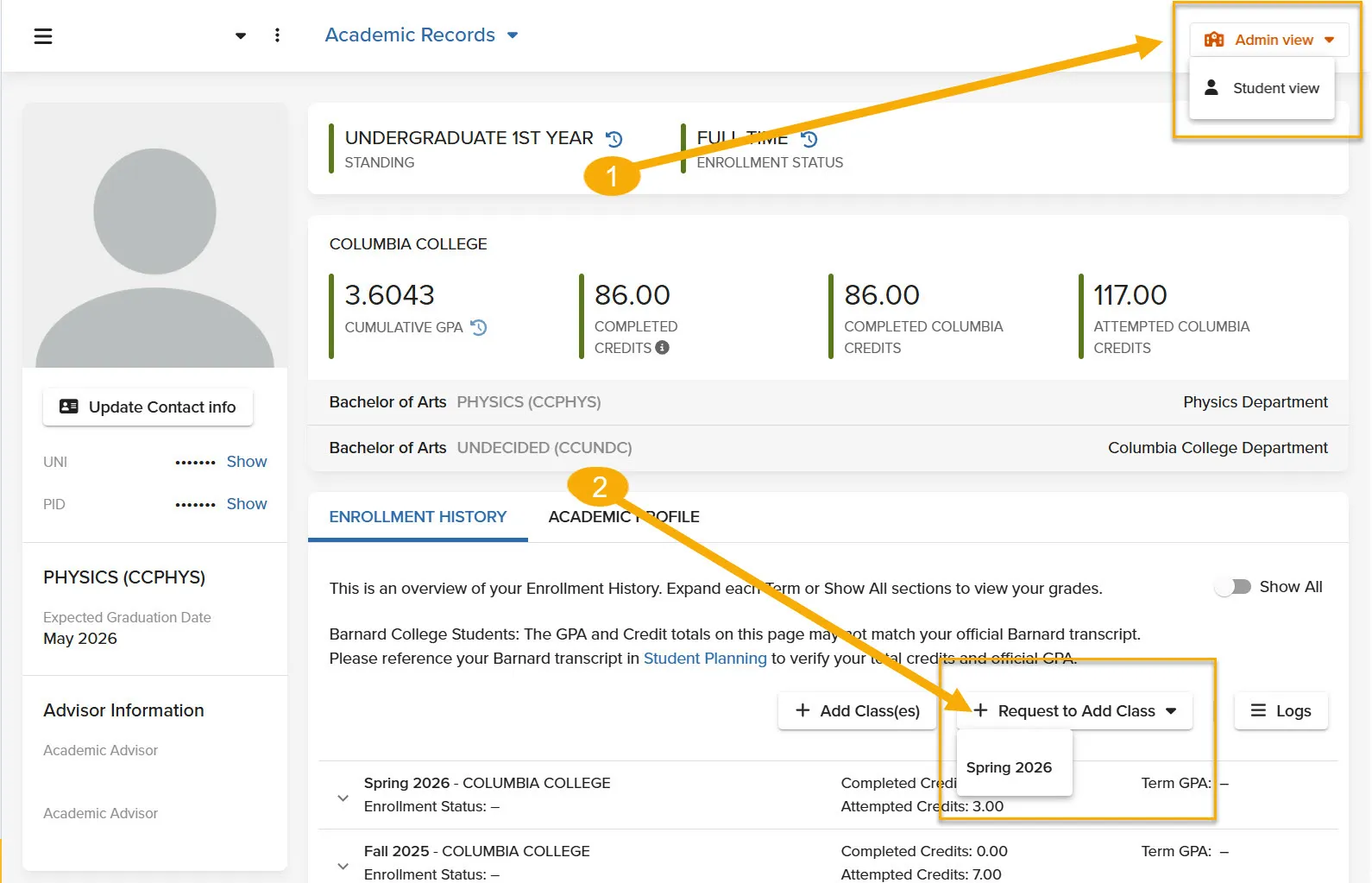
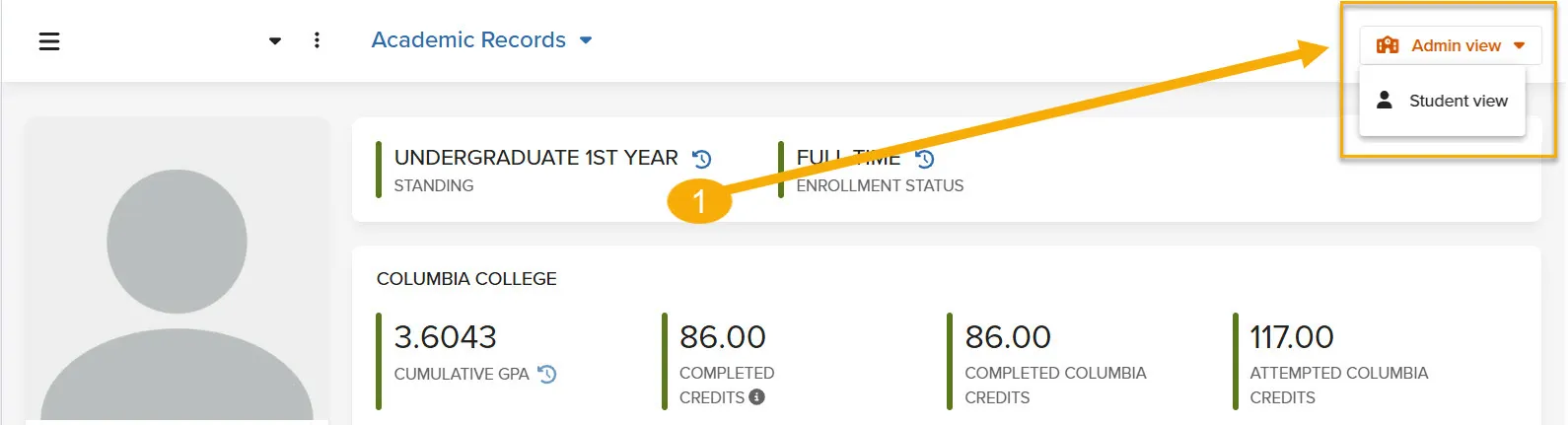
- Ensure that your are in Admin View (the orange button should be displayed)
- Click 'Request to Add Class
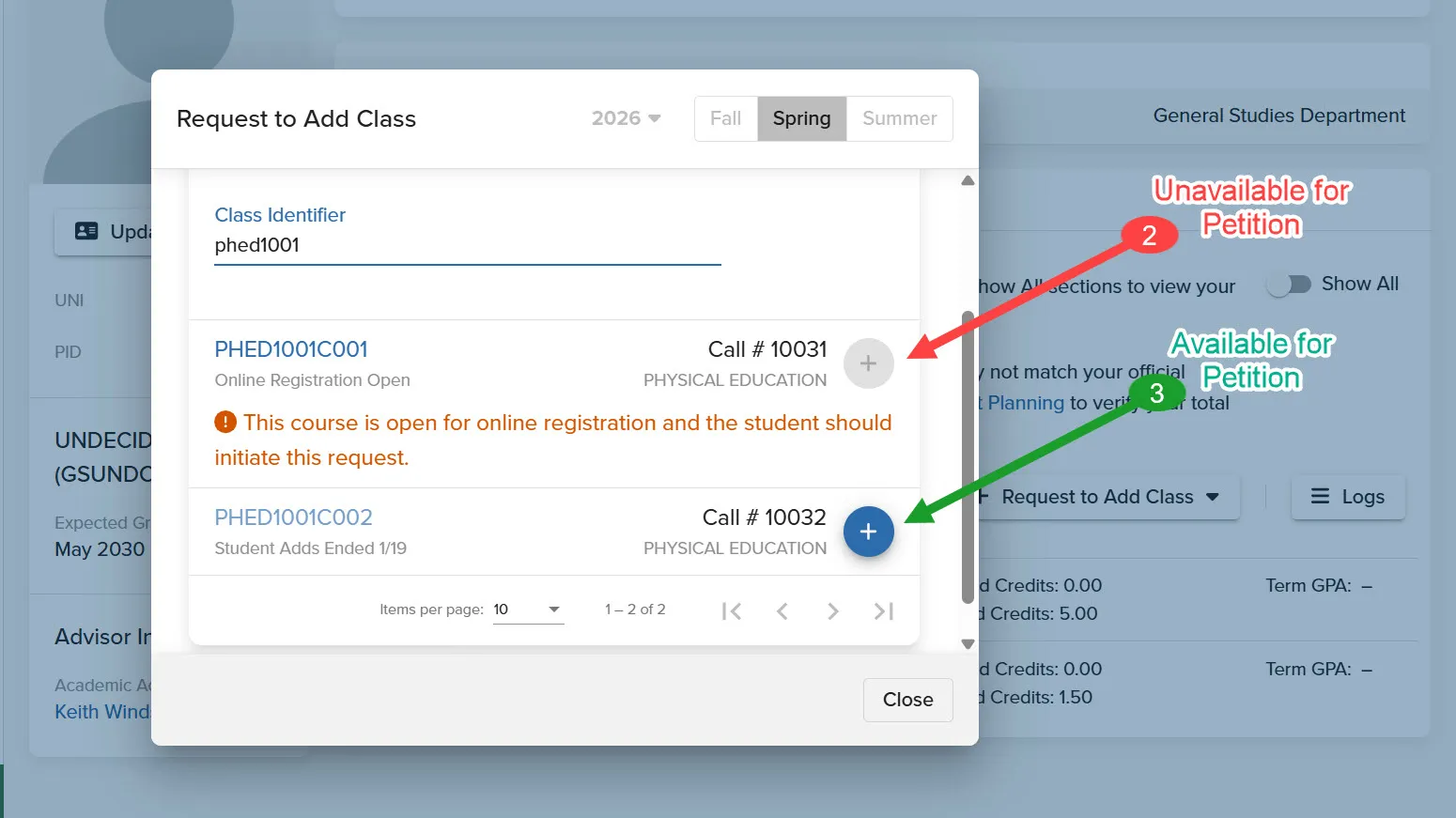
- Enter the section detail(s)
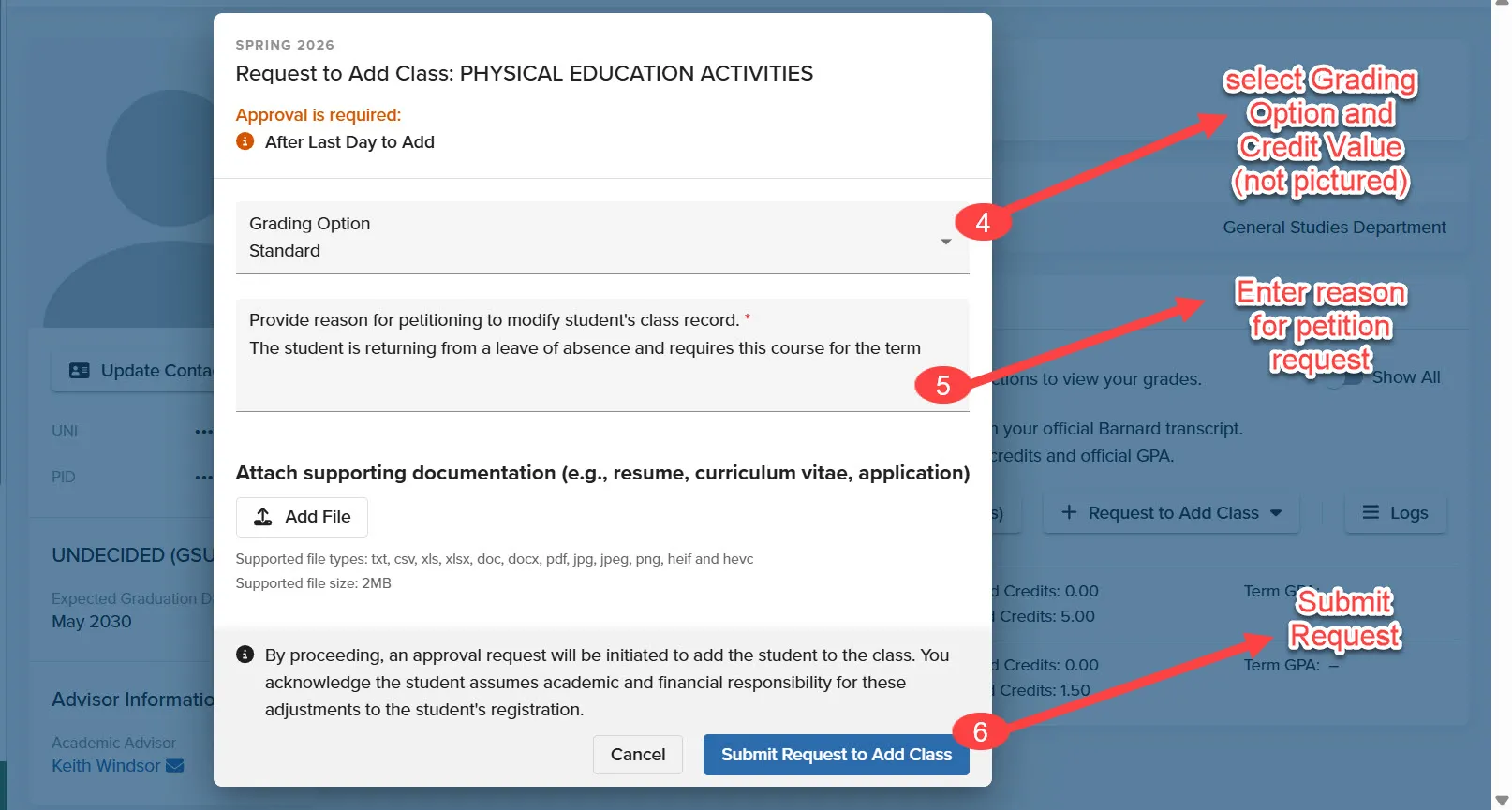
- Confirm selection and enter the required comment
- Submit the Request
Courses available to students via standard registration or appeal(s) will contain a red message indicating as such and cannot be requested.
Admins can submit requests to drop a course from the student's current schedule using the steps below:
- Ensure that your are in Admin View (the orange button should be displayed)
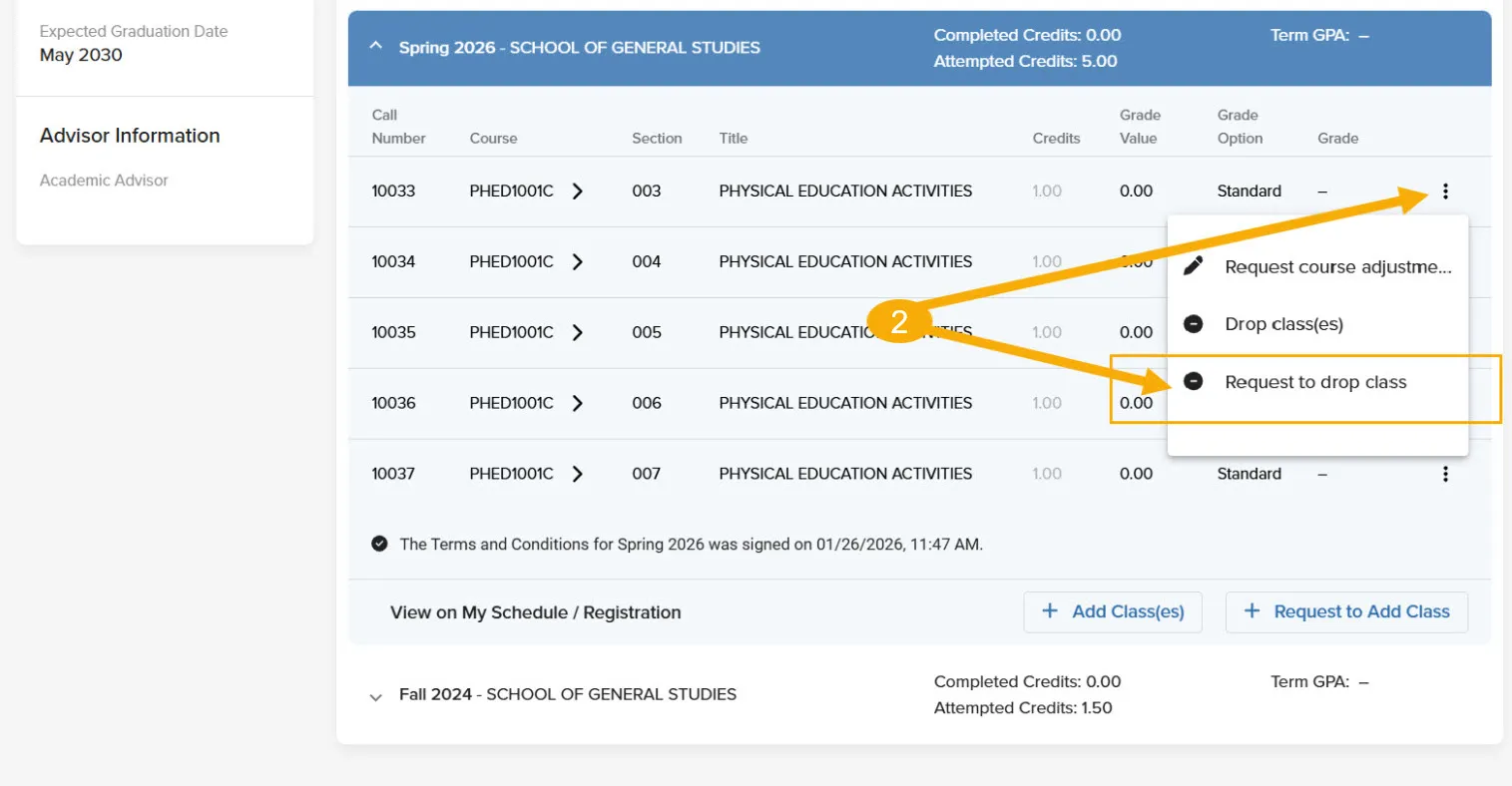
- Expand the term window.
- Select the three dots (⋮) to open the action menu.
- Select 'Request to Drop Course.'
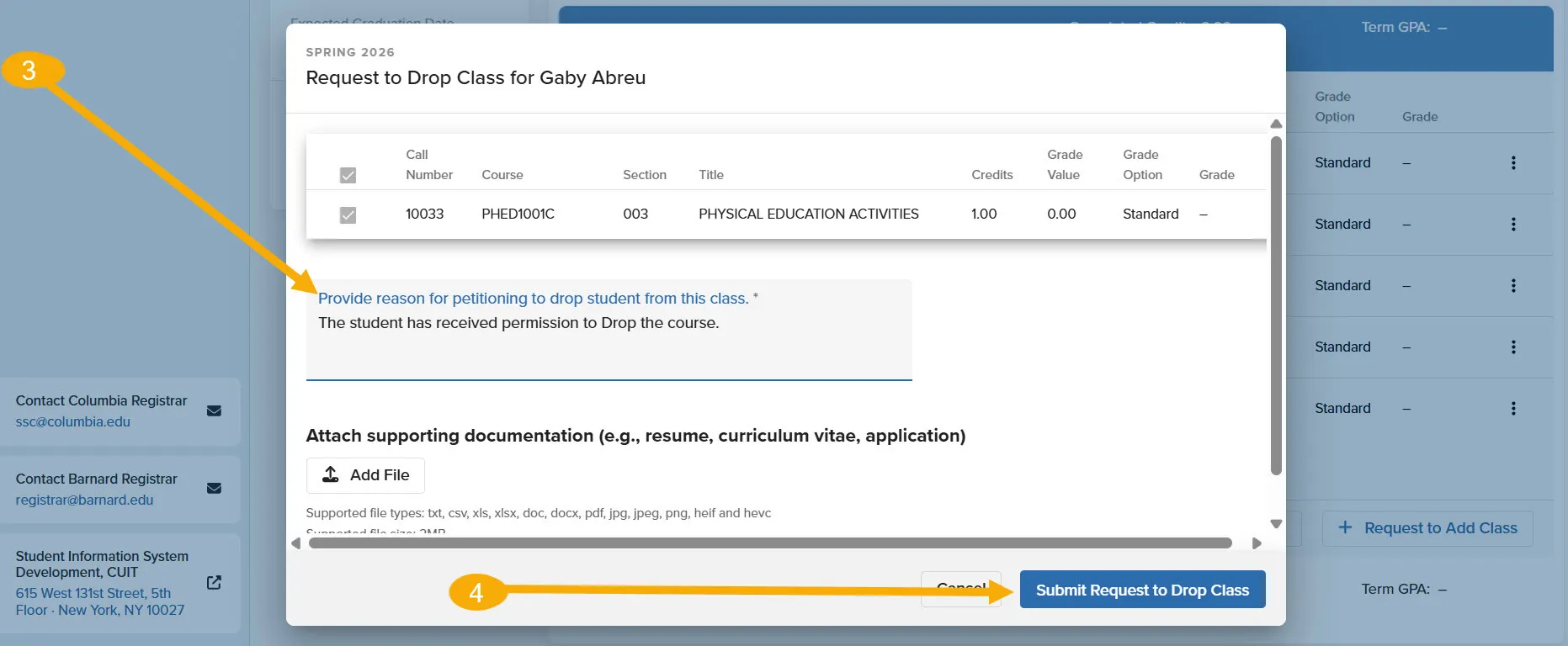
- Enter a comment with supporting information for the Drop request.
- Submit the Request.
Important Notes:
- School Final Approvers should indicate whether the student should receive a DR or D* in the comment section of the approval window.
- If the three dots (⋮) or the Request to Drop options are unavailable, there may already be a drop request in progress or the student's registration period may still be open. Please review the Student Request Log for more information.
Grade Option Adjustments:
Grade option adjustment requests can be initiated throughout the semester. To submit a grade option adjusment request:
- Ensure that your are in Admin View (the orange button should be displayed)
- Expand the term window.
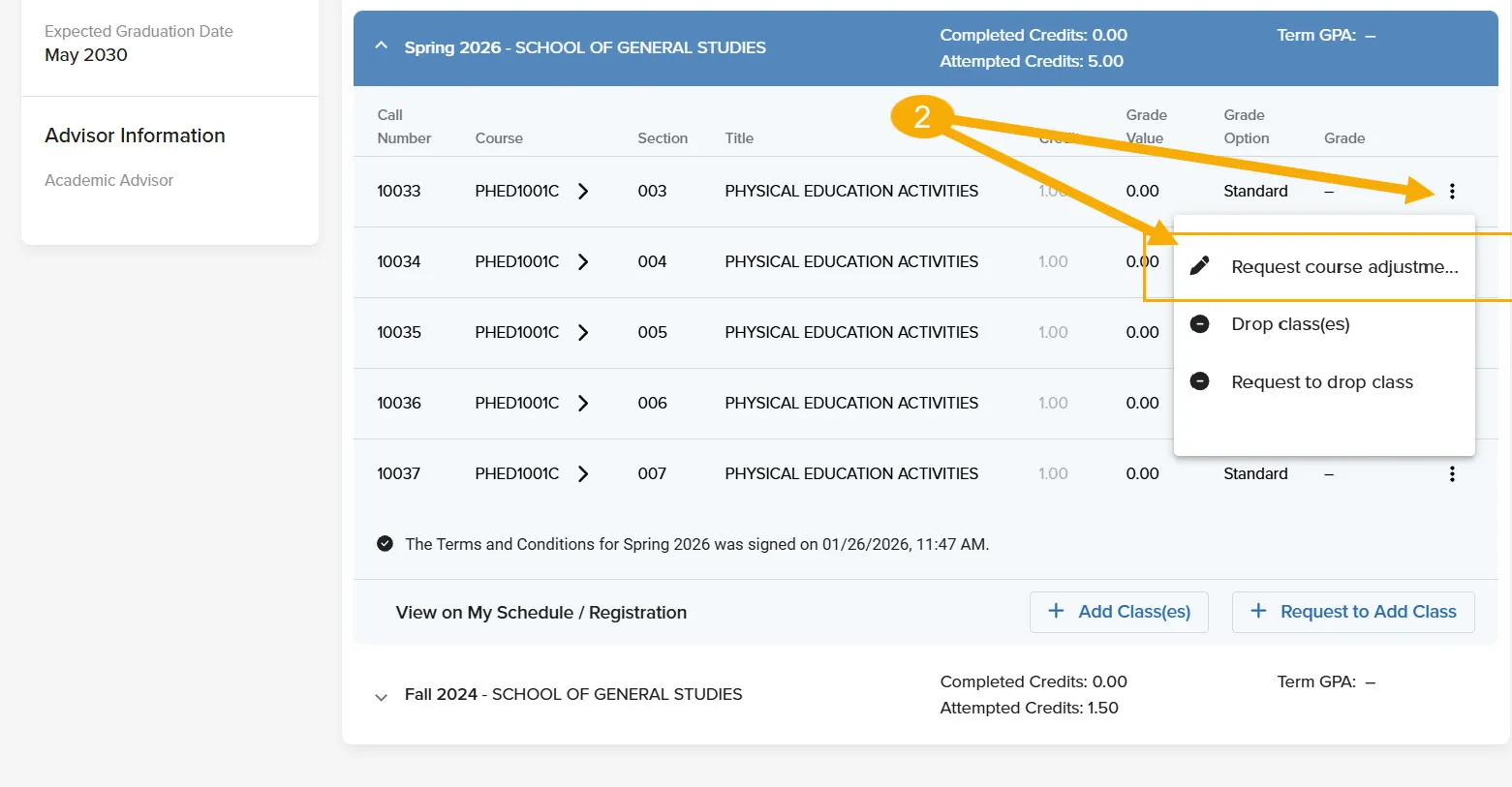
- Select the three dots.
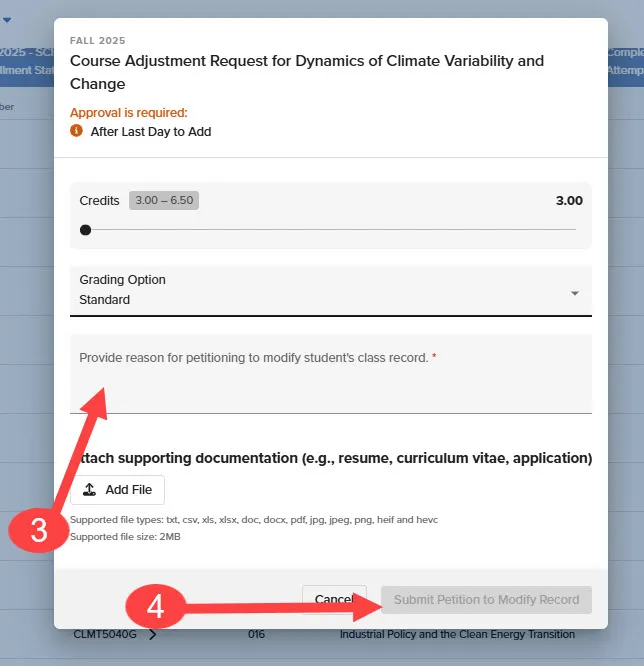
- Click 'Request Course Adjustment'
- Select 'Standard' or 'P/D/F'
- Enter a detailed comment with supporting information for the adjustment request.
- Submit the request for approval.
Credit Value Adjustment:
- Ensure that your are in Admin View (the orange button should be displayed)
- Expand the term window.
- Select the three dots.
- Click 'Request Course Adjustment'
- Slide to the desired Credit Value.
- Enter a detailed comment with supporting information for the adjustment request.
- Submit the request for approval.
Important note:
- If the three dots (⋮) or the Request Course Adjustment options are unavailable, there may already be a drop request in progress or the student's registration period may still be open. Please review the Student Request Log for more information.
Request Notifications
Administrators listed as approvers will be notified via email when a petition request is awaiting their approval.
Administors submitting petition requests will receive email notifications to confirm their submission and once a request has been complete.
Students will only receive a notification when a petition request to add/drop/modify a course on their schedule has been completed. They will not be notified if the request has been denied, but the request will be listed in their Registration Adjustment Request Dashboard.