
Starting on Monday, September 15, 2025, students will be able to request schedule adjustments through a formal Registration request process within Vergil. This process will replace the SSOL Post Add/Drop tool and will be integrated seamlessly into Vergil Registration.
Once submitted, Student requests may require various approvals by advisors and/or instructors as determined by their home Schools. Admins/Advisors/Instructors will be able to review and approve these requests within the Registration Request Log.
Details on the population this will be available to and which functionality is being released in 2025 or coming soon in Spring 2026 are available on the Vergil Registration Adjustment Workflow page.
This page is a resource for all topics related to this new electronic Registration Adjustment process:
- Navigating to your Registration Request Log
- Managing Student Registration Requests
- Approver Roles and Permissions
- Appeals and Add/Drop Request Approval Matrix
Workflow Scenarios and Settings Logic
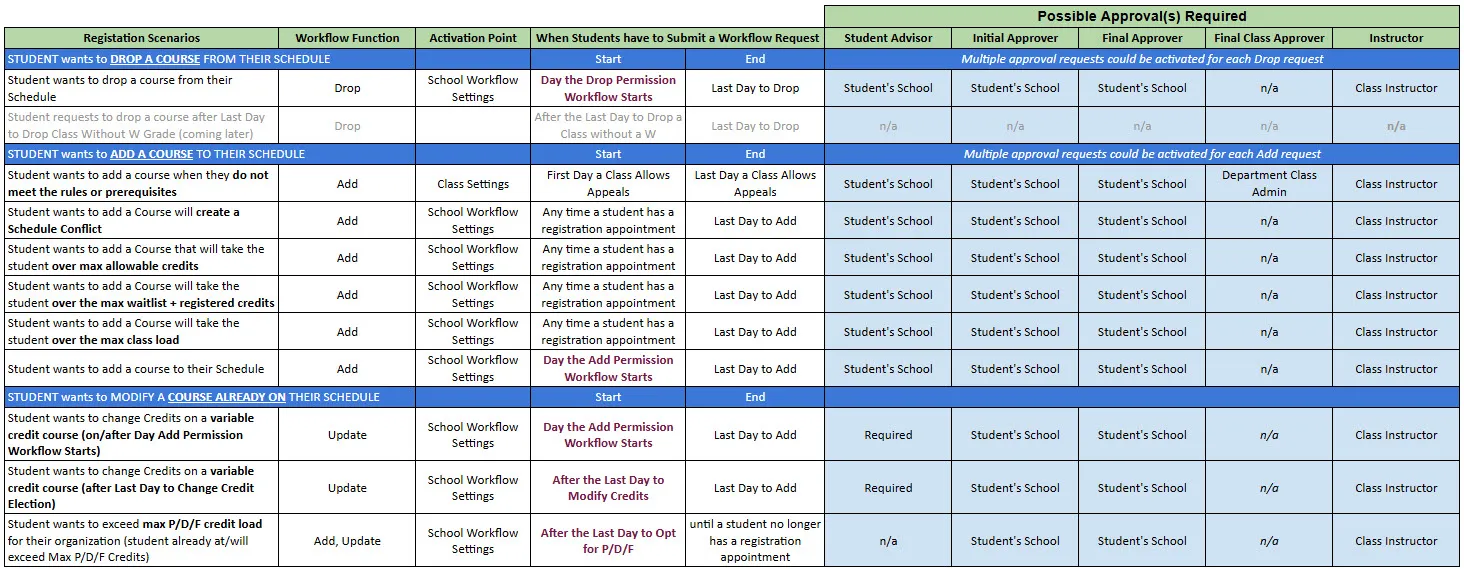
Below is a table outlining various Workflow scenarios, their associated settings, and potential approver(s).
Note: Items in purple are controlled by dates set in the Academic Calendar. For more information contact us at [email protected]
Managing Registration Requests
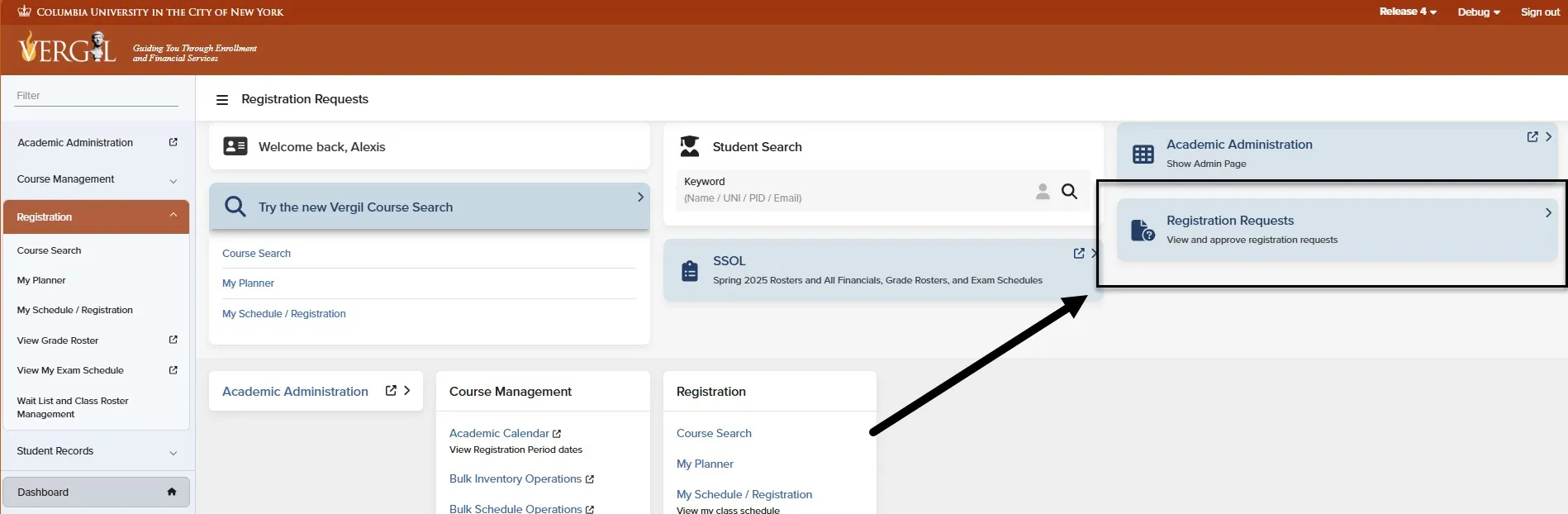
The Registration Request Log is available on your Vergil Dashboard. This log contains all Pending and Approved/Denied registration requests requesting access into your course(s) or to cross-register into other School courses.
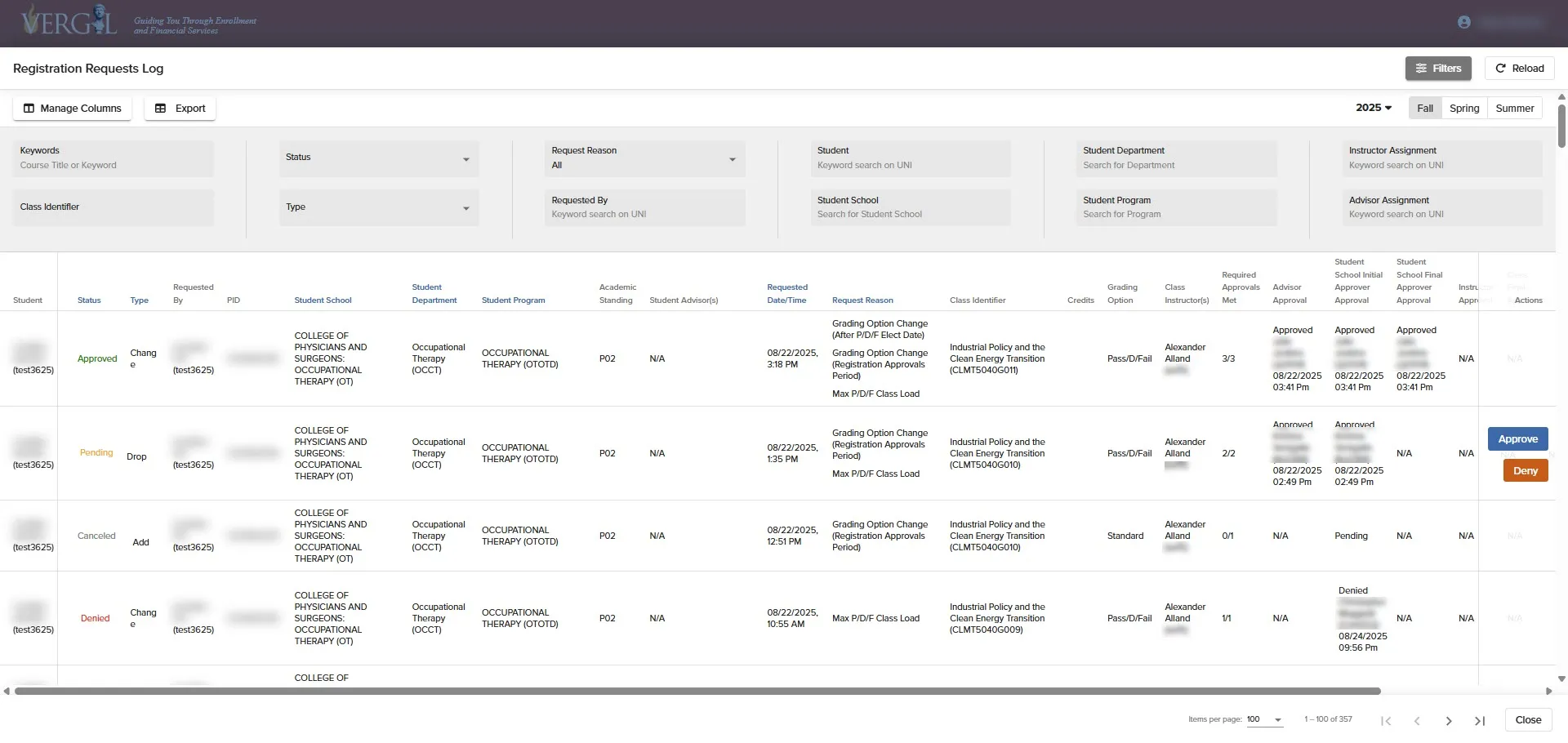
Various Columns and Filters are available to customize your view of the Registration Request Log. You also have the ability to bookmark this view - please see the Bookmarking section for more information.
Registation Request Log Filters
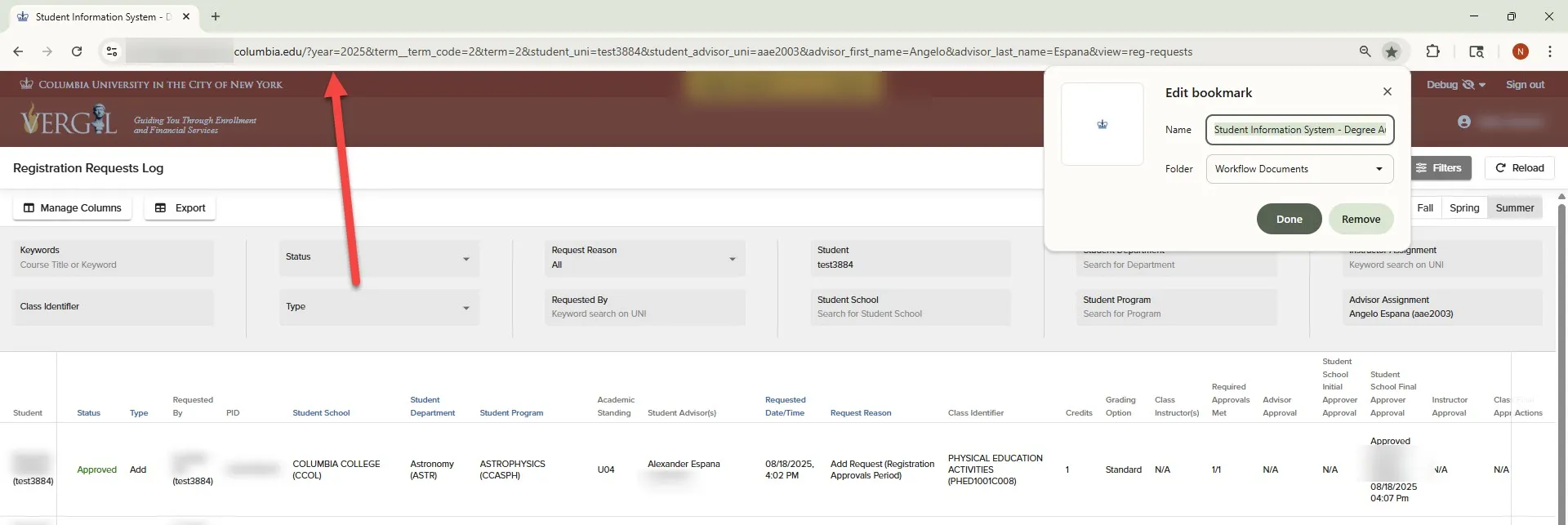
Once the Registration Request Log is open, the URL atop the page becomes dynamic, capturing any filters removed/added during that session. This URL can be bookmarked (click the star on the URL bar) to save and return to the current view.
Ex - Fall 2025 pending requests - https://vergil.columbia.edu/?global_status__in=pending&year=2025&term__term_code=3&term=3&view=reg-requests
To Approve/Deny Registration Requests:
- Select to on Approve or Deny.
- Enter a relevant Comment.
- Click on 'Confirm Approval.'
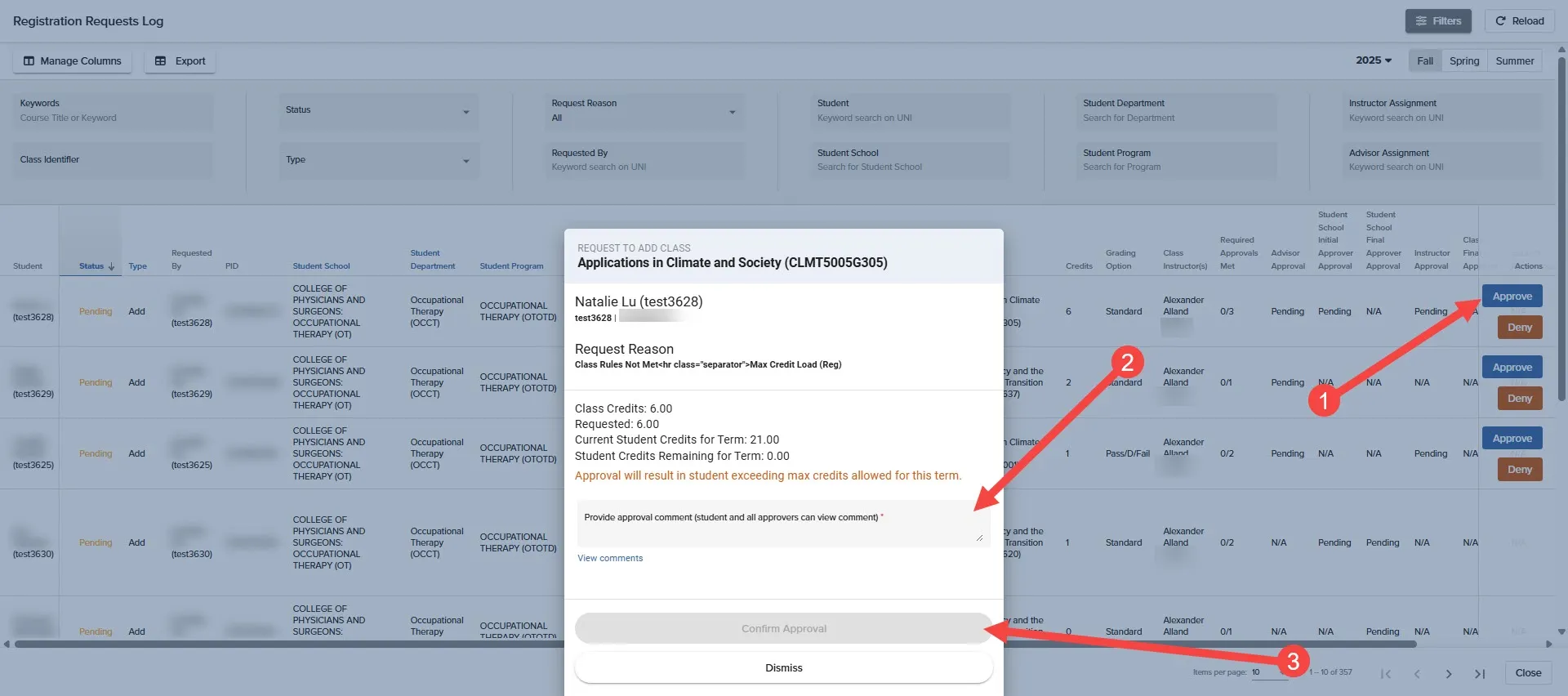
Approvers (Admins, Advisors, and Instructors) will receive two daily email notifications at 9am and 3pm highlighting assigned registration requests pending their approval.
Registration Appeals
Student are able to initiate an appeal for entry into a course when they do not meet a course section's requirements (e.g., prerequisites, class rules, enrollment cap.).
A few things must be in place for an 'Appeal' button to display to the student:
- The course must have their Allow Appeals setting set to 'Yes"
- The Appeals Start Date for the term or class record in CM must be set to a current or prior date.
- The Appeals End Date must be set to a future date.
note: These settings are predetermined by the School/Department that mounts the course.
Add/Drop Requests
Add/Drop Requests are initiated when students initiate a request to add/drop/change a course that violates their School's policy or registration rules (e.g., Unit Rules, p/d/f limits, credit changes, etc.).
An Add/Drop Request can only be initiated if:
- It is within the Approval Workflow Start and End Dates
- The Student's School allow its students to submit requests for that circumstance
- The student's Last Day to Add or Drop is set to a future date
note: Settings related to Adding or Dropping are preset by the Student's School.
Troubleshooting Blocks to Registration Requests
A few things should be considered when supporting a student who is unable to submit an appeal request for a course:
A few things should be considered when supporting a student who is unable to submit an appeal request for a course: