Stellic has a robust filter library that you can use to build custom student rosters. These reports can be saved and exported. For example, you can create and save a list of your departmental majors and minors. Filters also include academic information such as GPA (overall or by program), graduation date (expected or applied), standing, entry year, missing requirements, and reported exceptions. The report parameters and static results can be shared with colleagues.
Below are examples of what we expect will be commonly used reports. You can customize these with your departmental parameters.
Creating and Saving a New Report
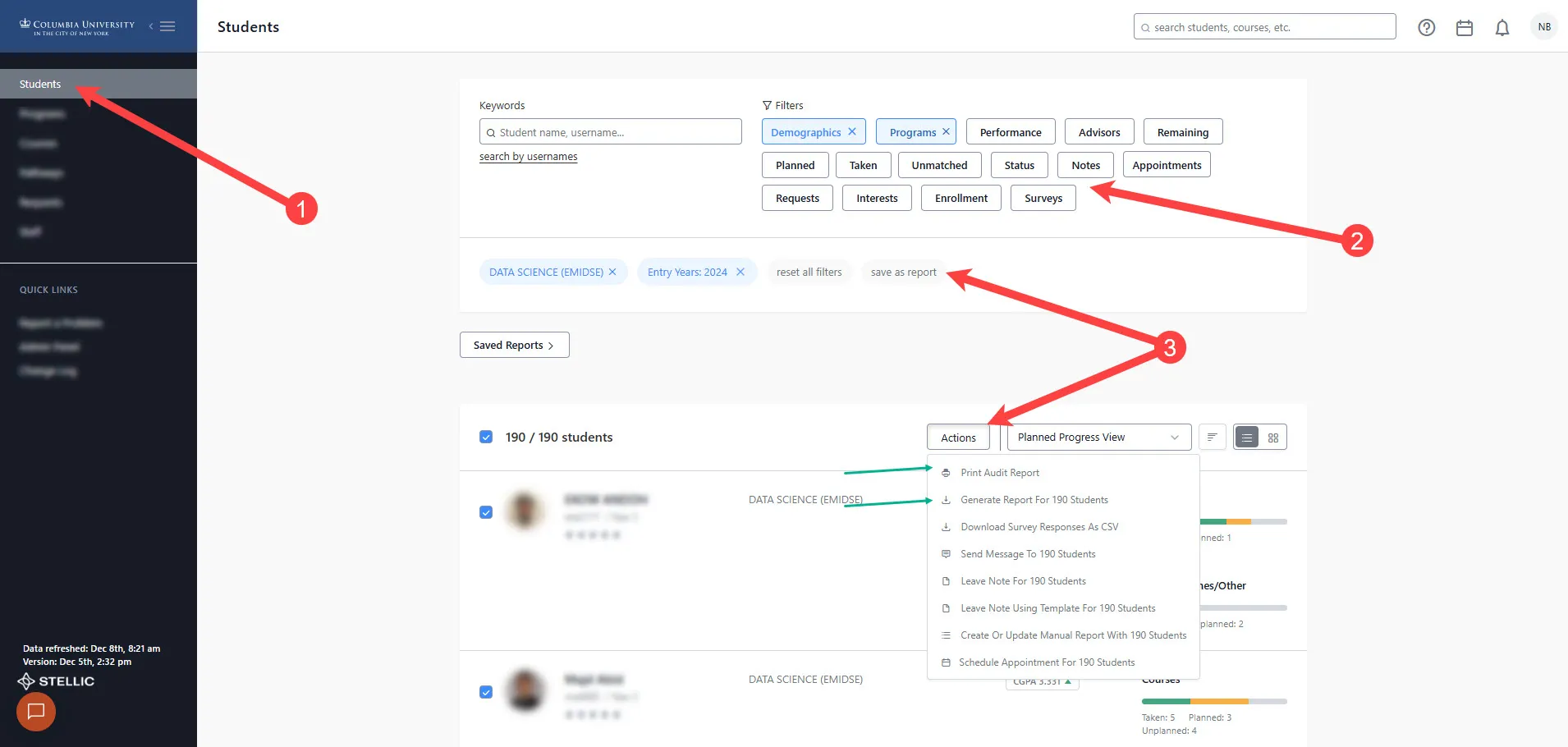
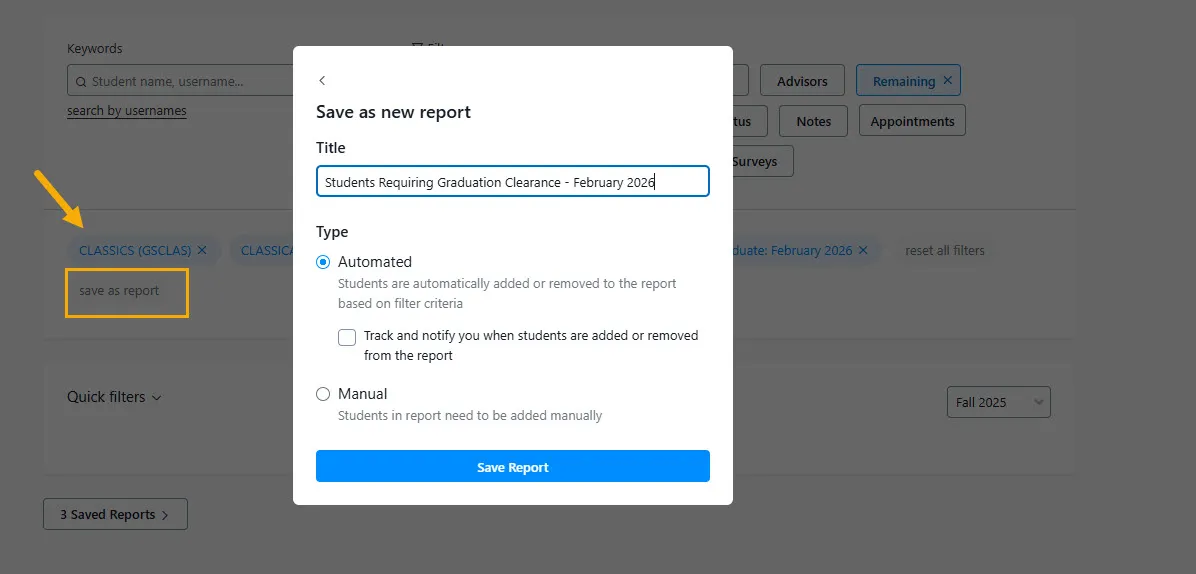
First, you will select your report criteria (details below), then Save the report.
Reports can be dynamic, meaning that whenever a student meets the criteria, they will pull into the report on future runs, or manual, meaning you can create a static list of students based on a moment in time.
Useful Student Lists/Reports
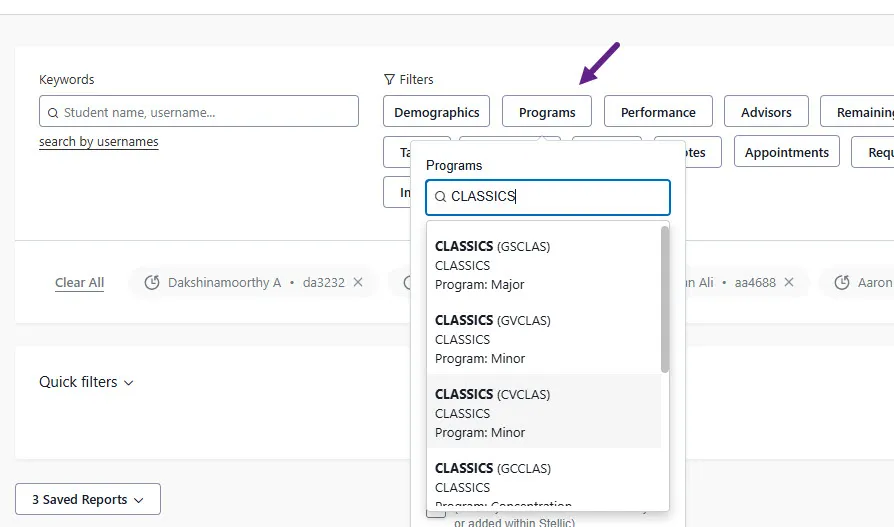
Use the Programs Menu to select the Plan Lines that align with your departmental majors and/or minors. Multiple Plan Lines can be selected in a single report.
You can create a list of students who still need to be cleared for the Major / Minor in your department.
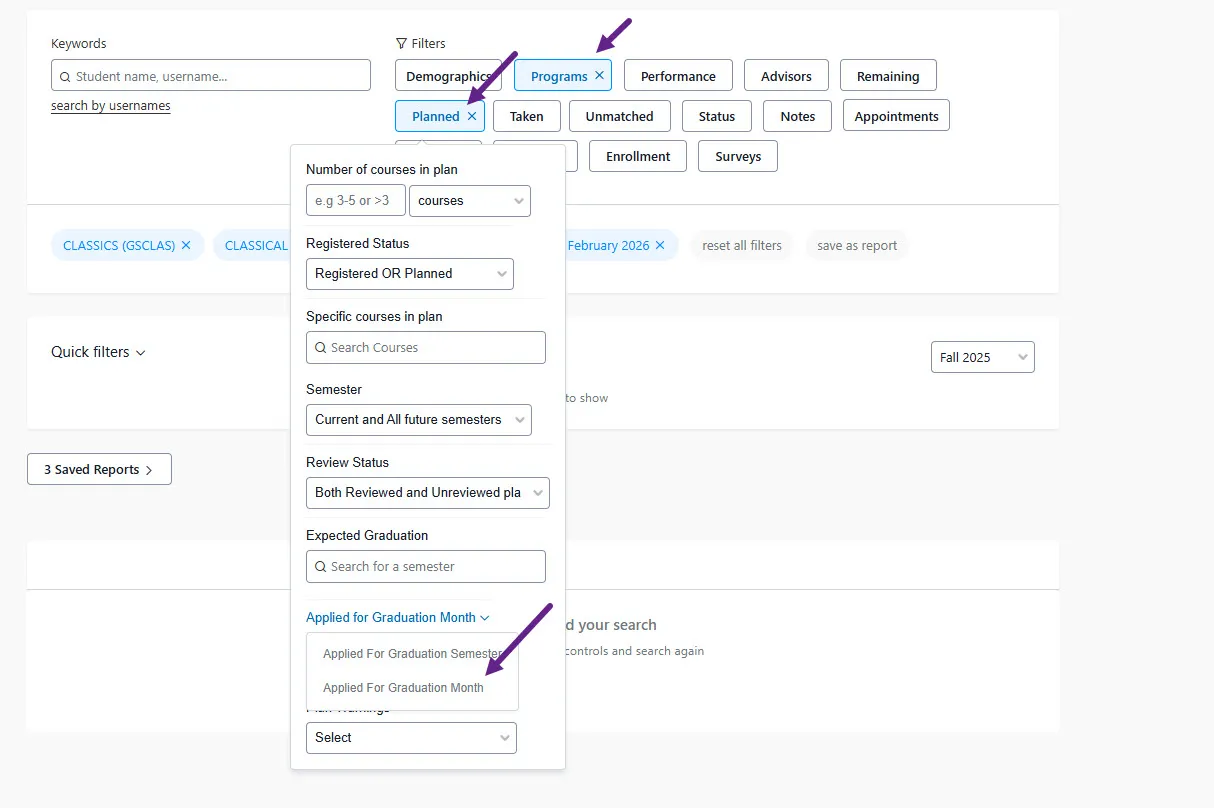
First, determine the upcoming date of graduation under the Planned Menu. Select Applied for Graduation Month and enter the upcoming graduation period. *Note, you can select 'Applied for Graduation Semester,' but 'Month' is more straightforward.
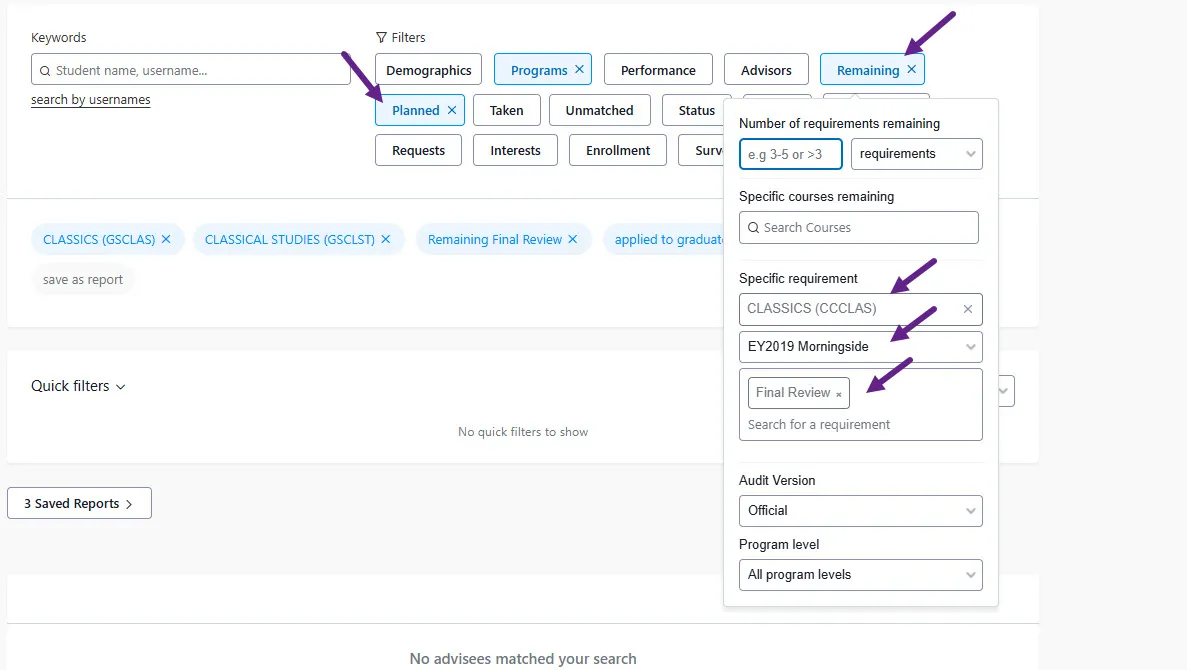
Then find your missing clearance Final Review Requirement. Under the Remaining Menu, Specific Requirement --> Program --> Audit Version --> 'Final Review'. You can use the filters under the Remaining Menu to find other missing requirements.
Only one Program (e.g., CCHIST major OR CVHIST minor) can be reported on in this view. You will need separate reports for each Plan Line you are responsible for clearing.
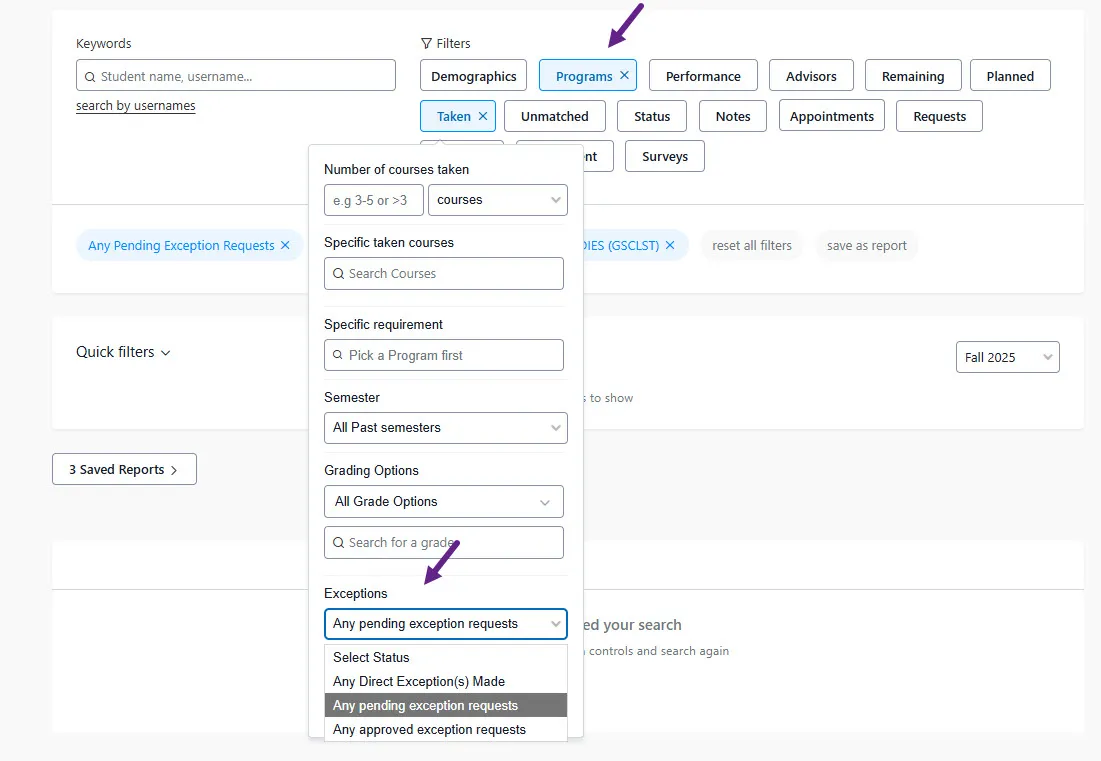
Students with access to Stellic (from General Studies) may request an exception to their audit requirements. To create a list of students with pending exceptions, first determine the population of your students using the Program filter. Then, under the Taken Menu, select "Any Pending Exception Requests" under Exceptions.