In cases where a student's clearance is incomplete and therefore requires a program change or a complete denial (i.e. the course of study should be removed from the student's record), please follow the steps below to ensure their audit is processed accurately.
- Select 'Mark as Satisfied' when completing the Student's Final Review.
- Include a detailed Note using the Notes Template option to instruct the Registrar's Office on the best next steps for the student's record.
Important Reminder: Notes applied to a student's audit are visible to all Stellic users with access to the student's record, including the student themselves.
Refer to the sections below for guidance on School-specific steps to apply notes to student audits.
Confirming Incomplete Student Clearances
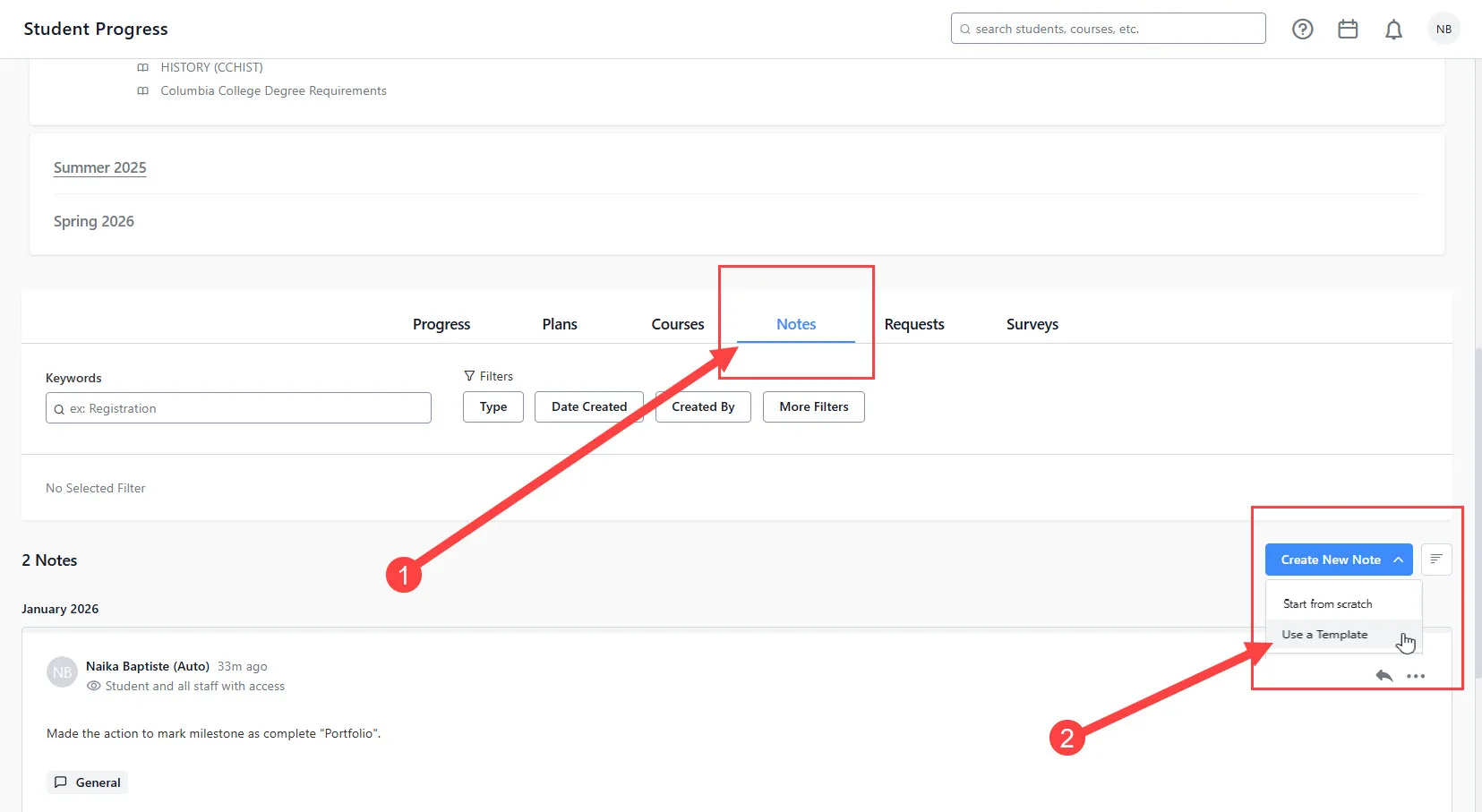
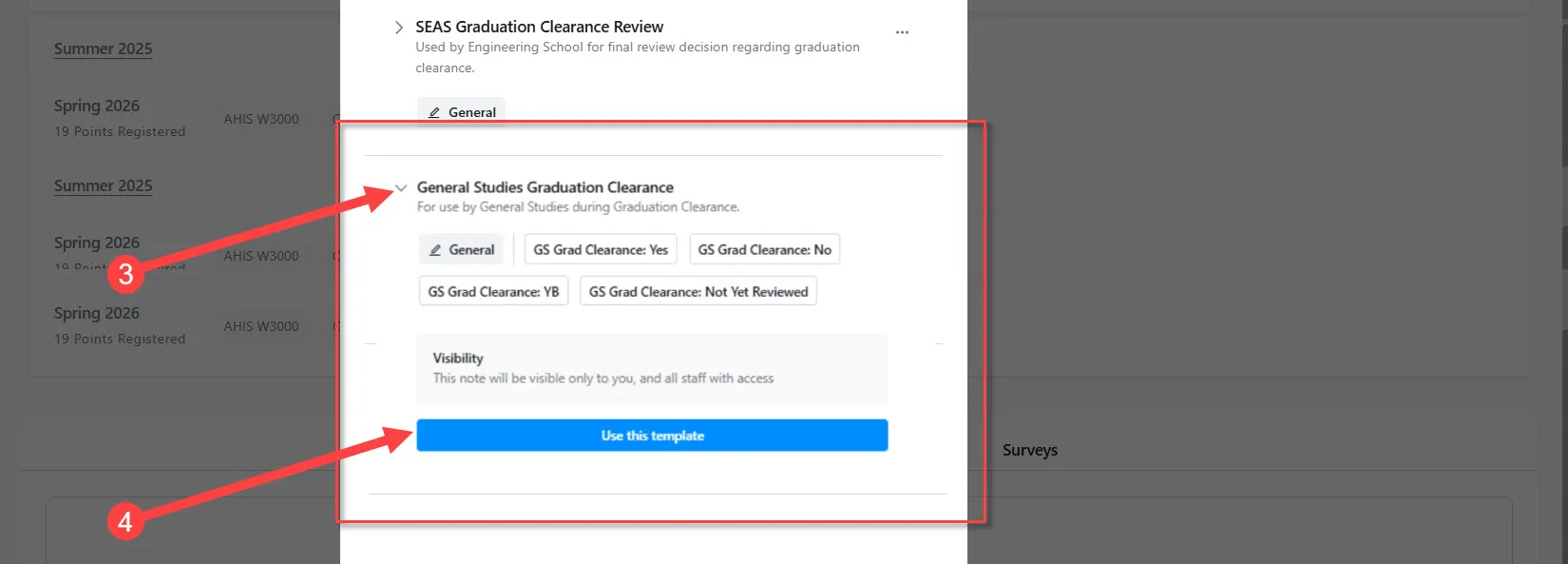
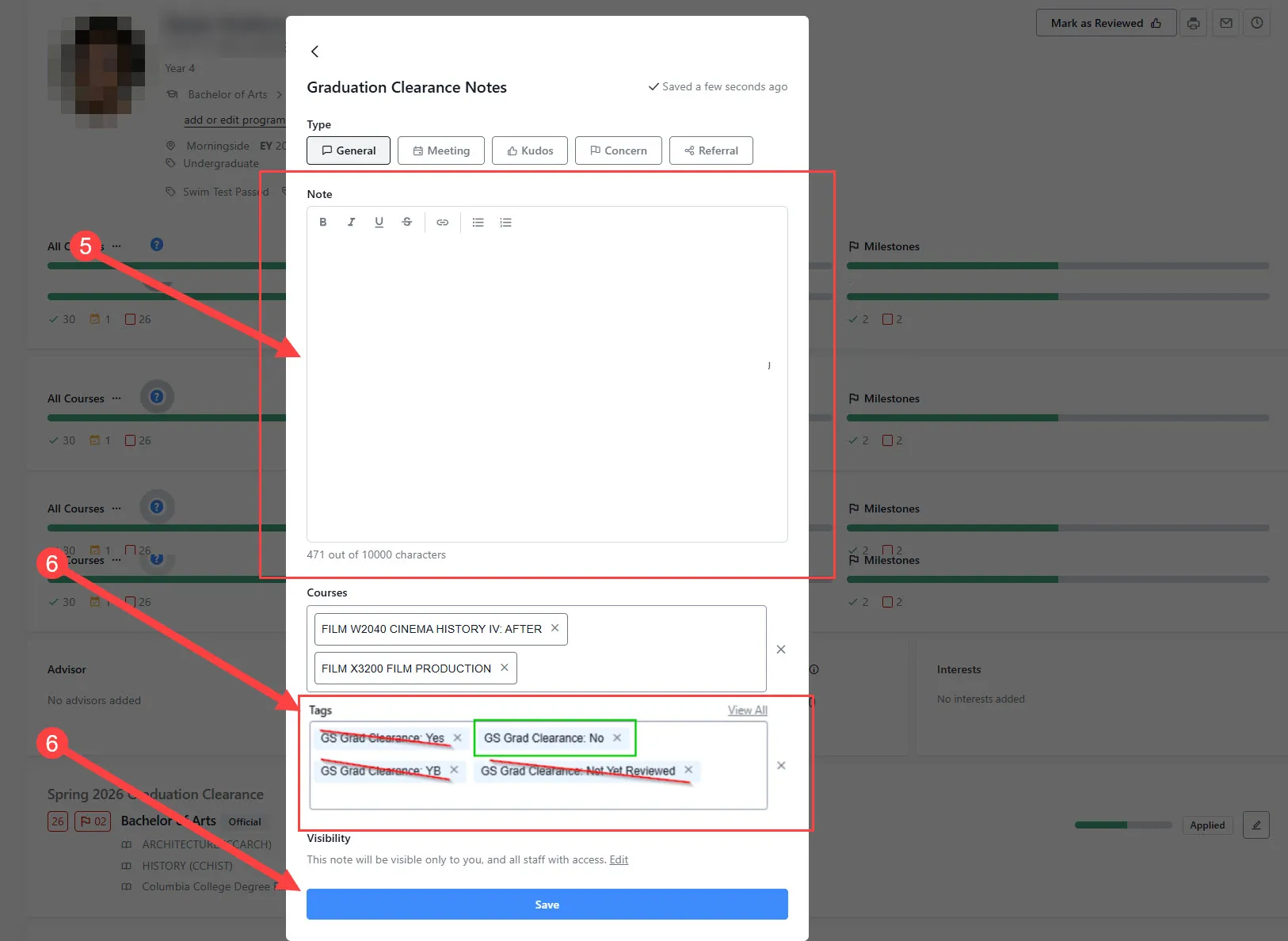
A detailed note should be included on audits that are incomplete with the following action items: hold graduation pending resolution of outstanding items on the audit; remove the program from the student's record; or step-down to a different program (e.g. not OK for Major clearance but can clear on the Minor) so that the Registrar Degree Clearance team knows how to proceed. Please see below for instructions on applying Notes to student audits:
- Click on 'Create New Note'
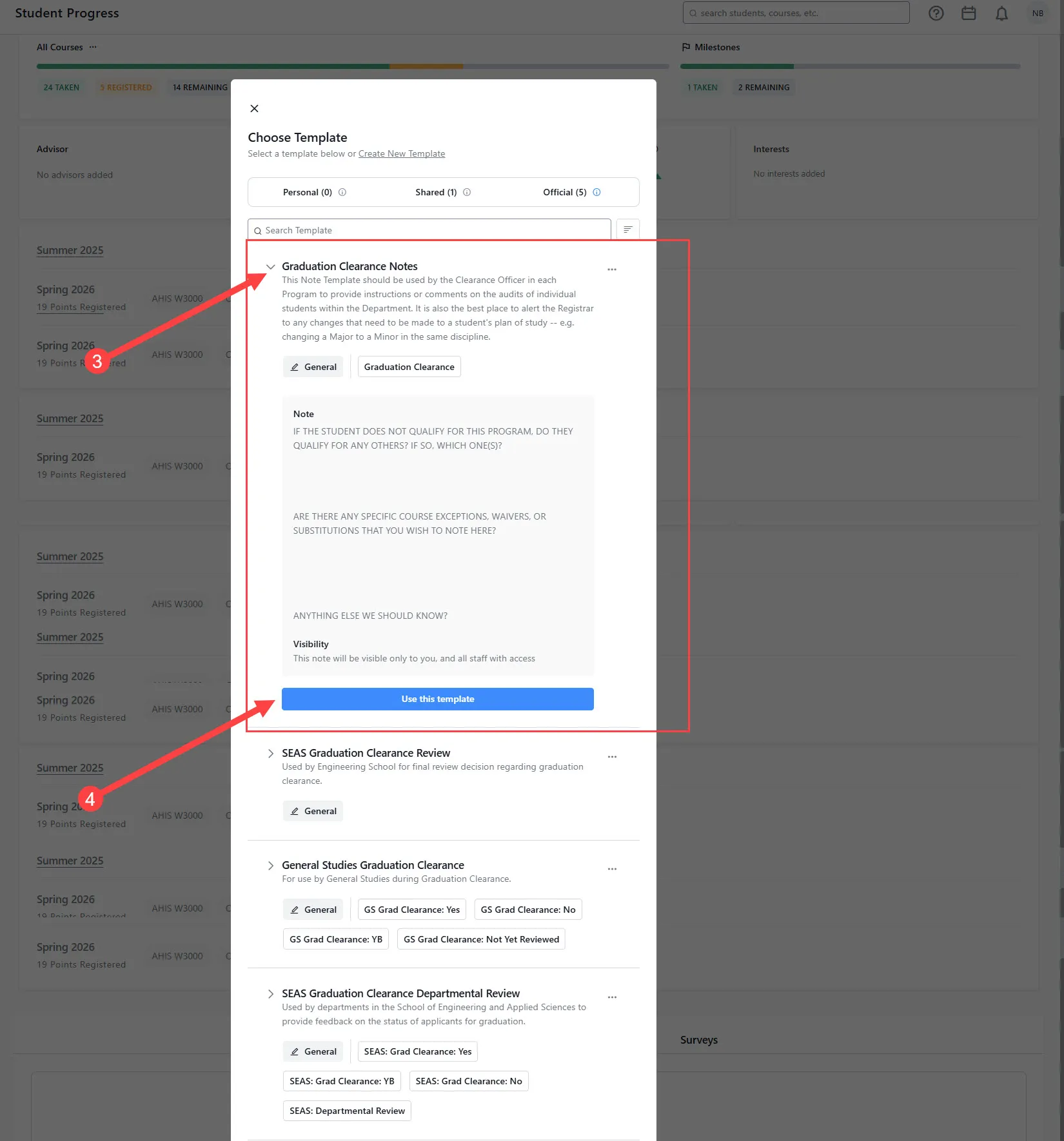
- Select 'Use a template.'
- Expand the Graduation Clearance Notes tab for your School.
- Click on 'Use this template.'
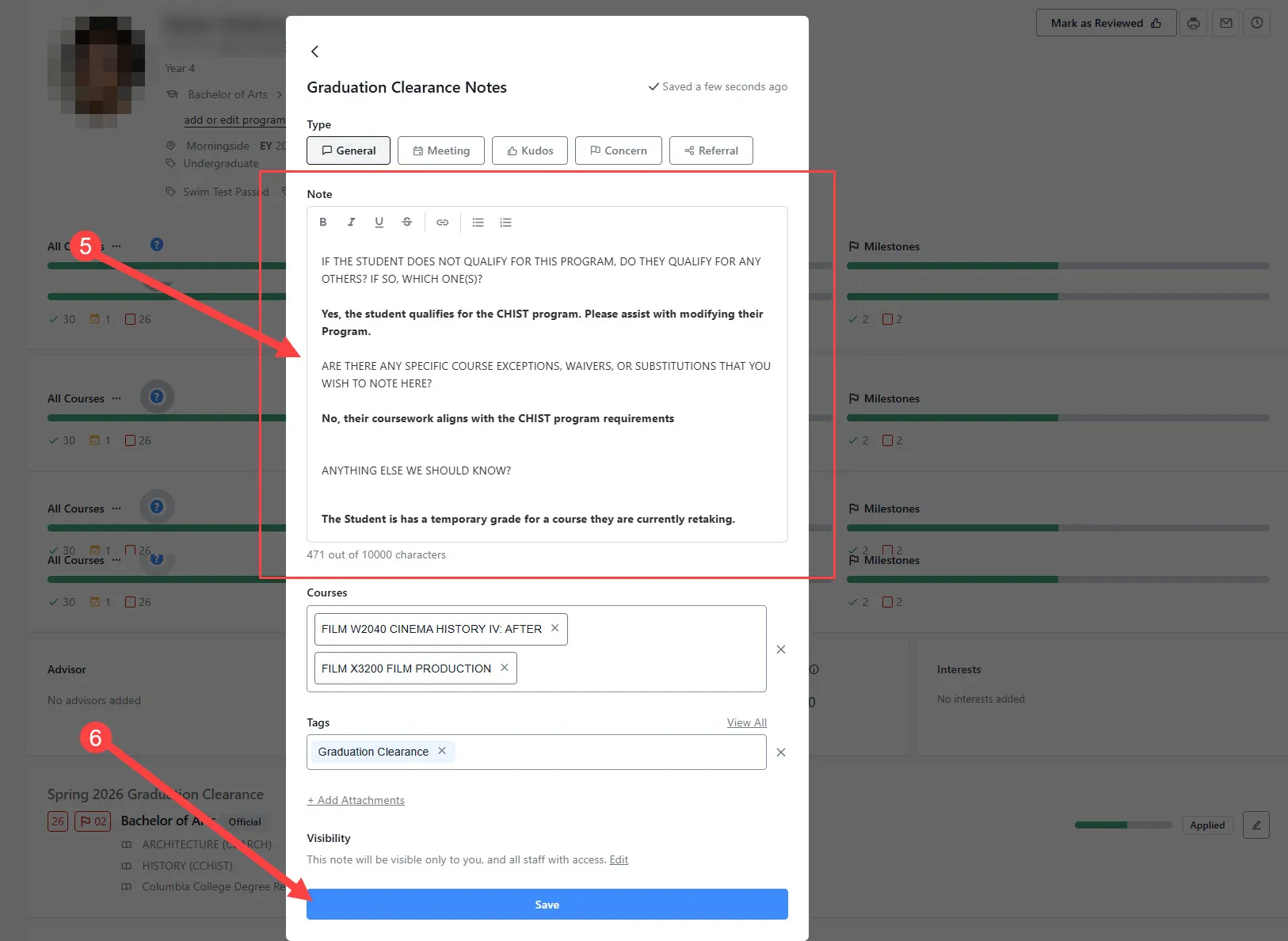
- Provide a detailed answer for the relevant questions.
- Click 'Save.'
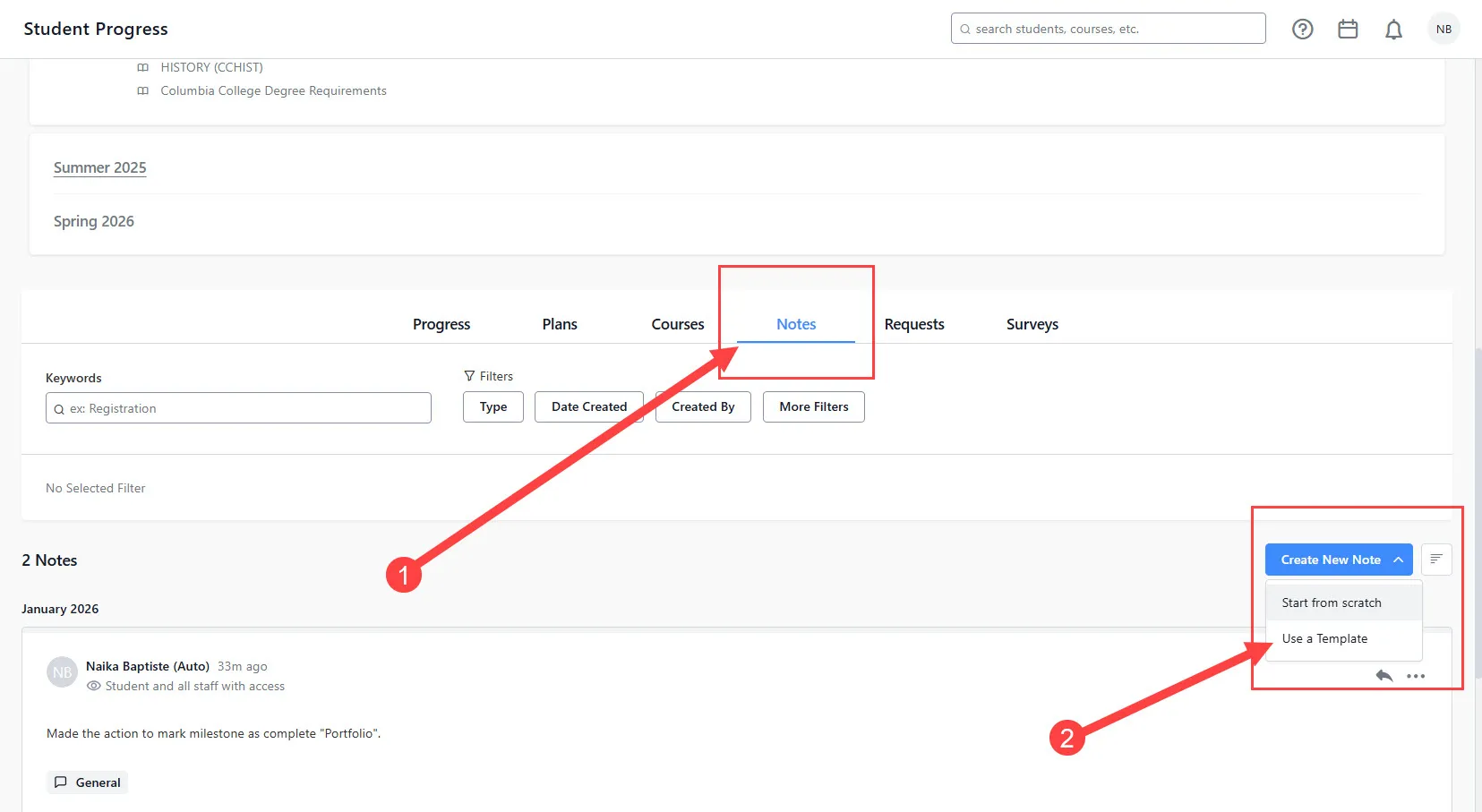
A detailed note with the appropriate tag should be included in student audits that are pending temporary submissions, denied, or require program changes to clearly indicate the desired steps to the Registrar Clearance team. Please see below for instructions on applying Notes to student audits under the Notes tab:
- Click on 'Create New Note'
- Select 'Use a template.'
- Expand the General Studies Graduation Clearance tab for your School.
- Click on 'Use this template.'
- Provide a reason for denial or incomplete audit.
- Include a 'Graduation Clearance: No' tag and remove all others.
- Click 'Save.'