
Managing Your Schedule - Cloned
Schedule Administrators are responsible for managing their department(s)’s Semester Schedules. School Administrators will be able to see all the schedules of all departments within their School and will be available for changes needed to Sessions and Courses.
https://sis.columbia.edu/schedules
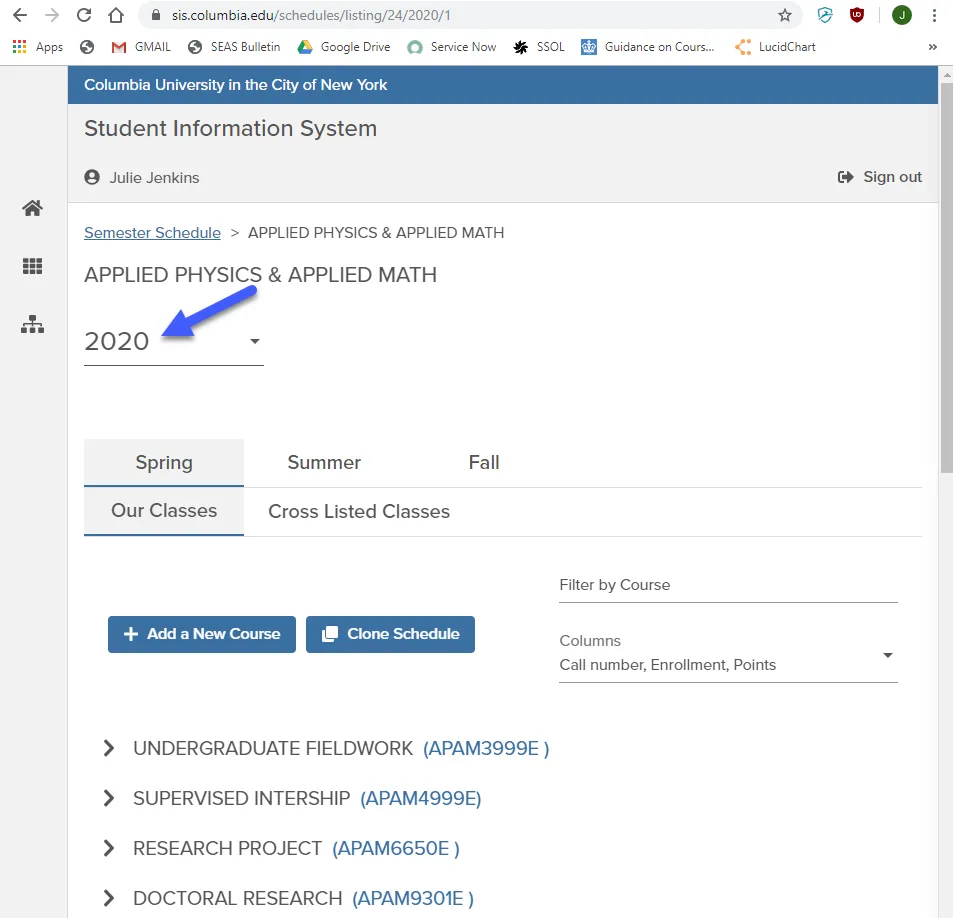
The Academic Schedule is broken up by Calendar Year and within that, Semester. The Year value at the top of the screen refers to the calendar year value. For example, Spring 2020 will be from January 2020 to May 2020; Fall 2020 will be the schedule of courses from September 2020 to December 2020.
Adding / Removing Courses and Classes
Schedule Administrators can add any Courses to the Semester Schedule that are owned by their Department (see Inventory for more information).
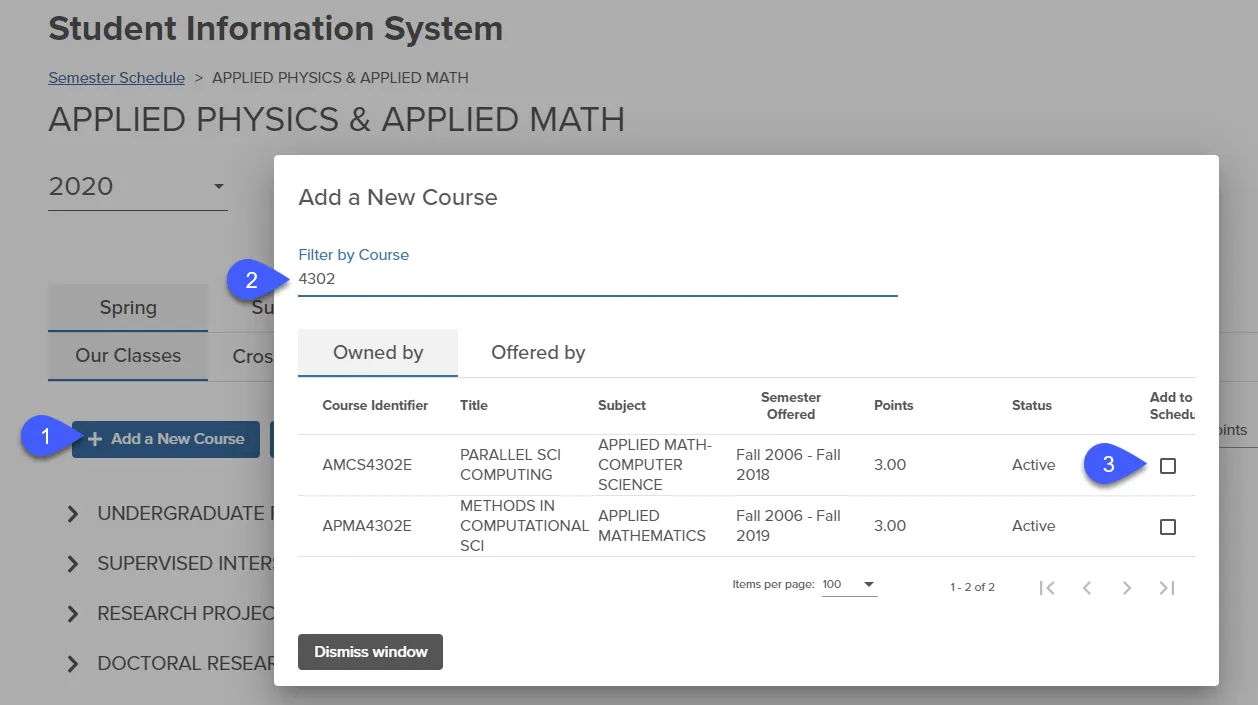
All courses available, that are not already on the Schedule, will appear when + Add a New Course is clicked and Course is searched for in Filter by Course. Clicking ‘Add to Schedule’ will add the course to the Schedule, and it will be available to add class sections.
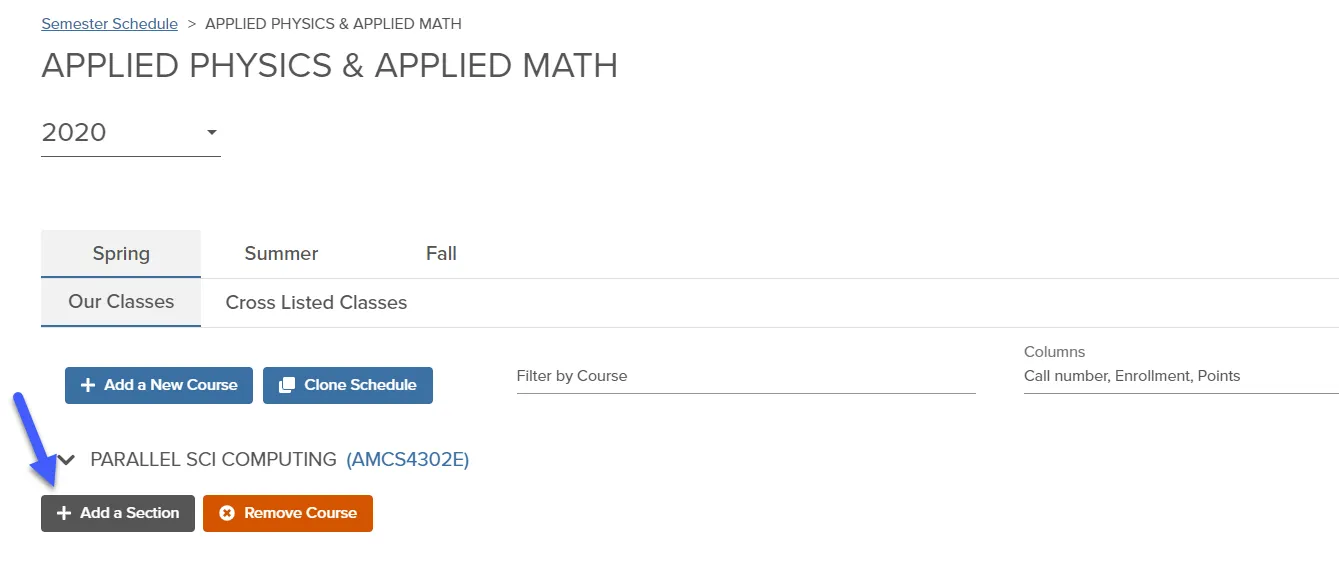
Once the Course is on your schedule, you can add a section. See Fields in the Semester Schedule for more information about the data required in a class section.
Coming soon.
coming soon