Downloading Schedule
Schedule Administrators have the option to download a Semester Schedule by Term into .TSV format.
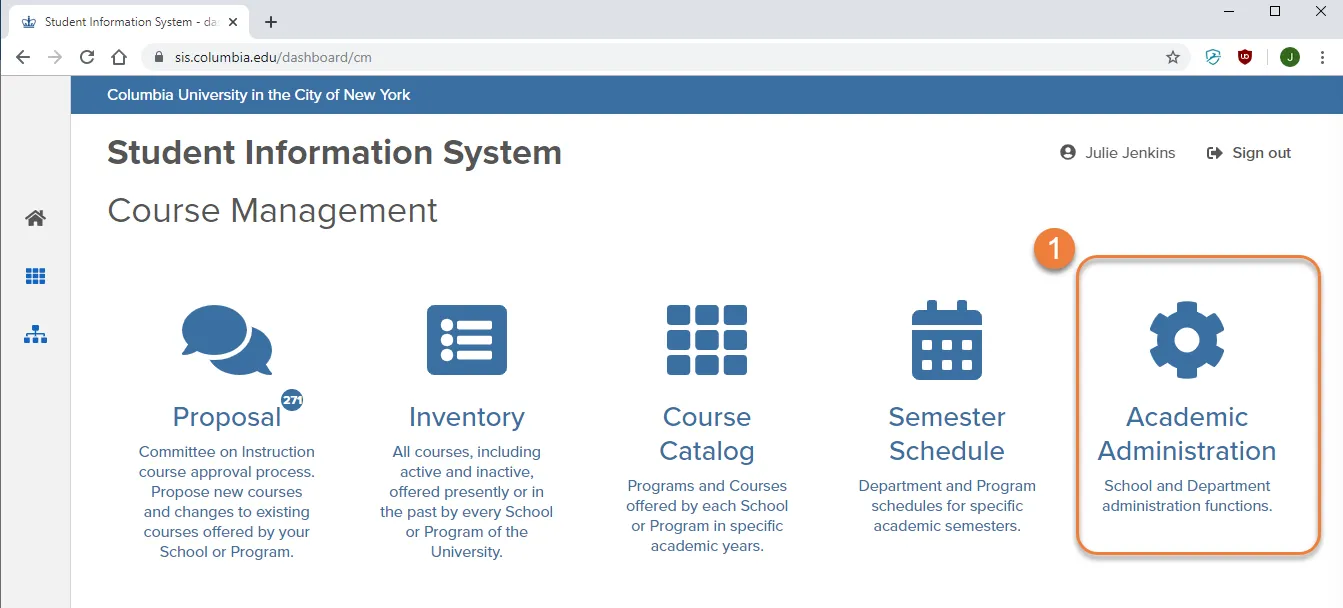
1. Go to the Course Management Dashboard and click “Academic Administration”
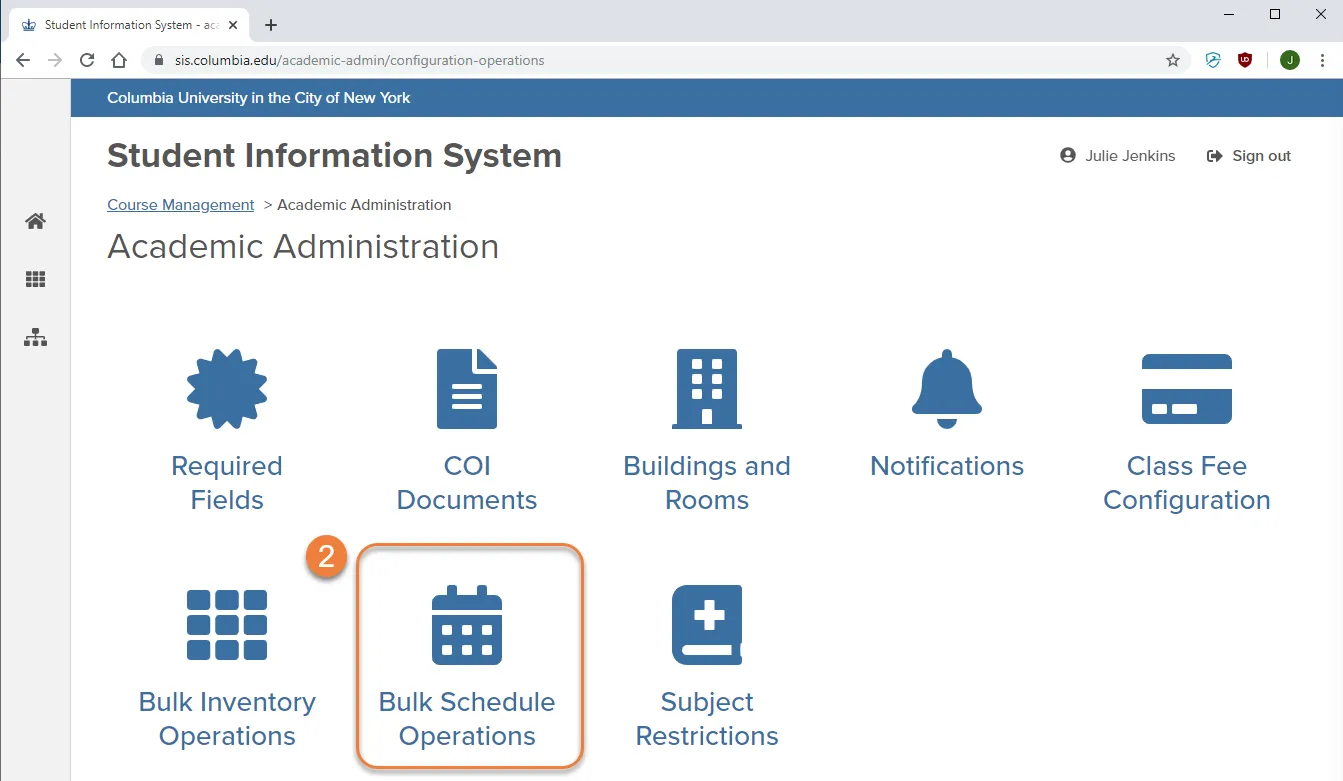
2. Click on "Bulk Schedule Operations"
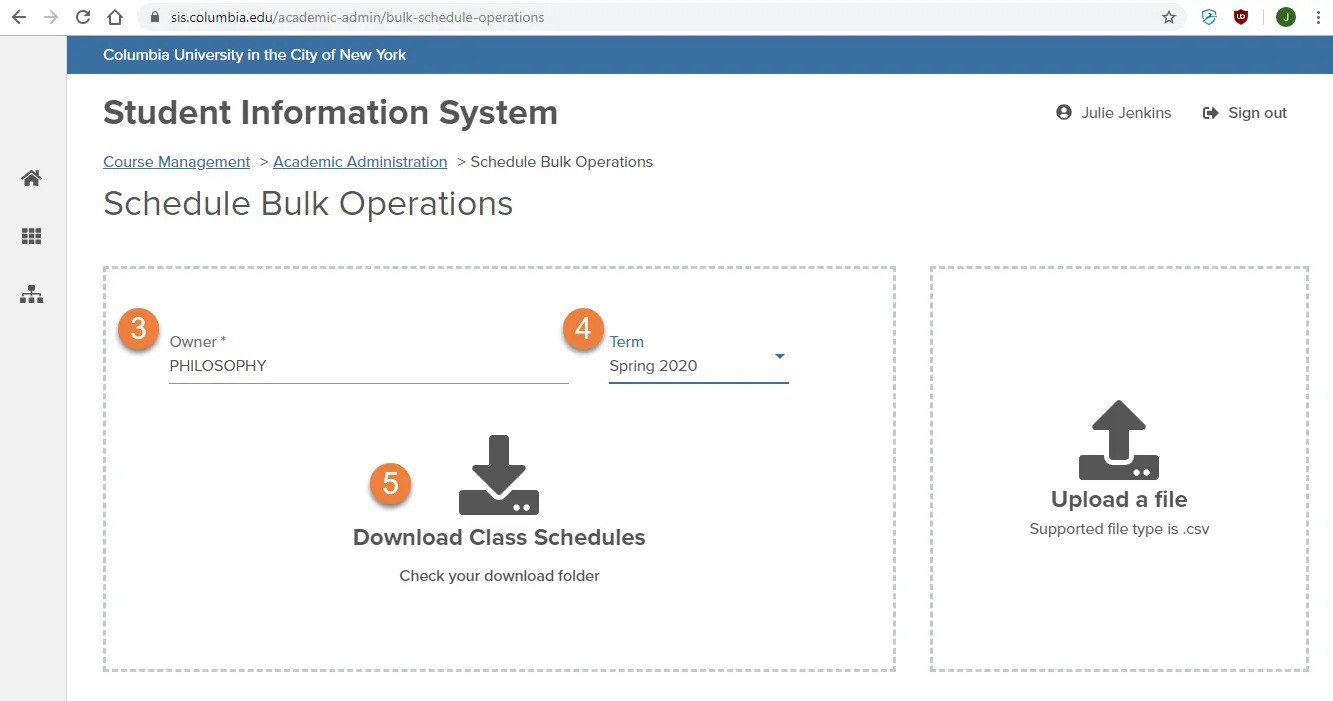
3. select or type your department in the “Owner” field
4. select a Term
5. click Download Class Schedule
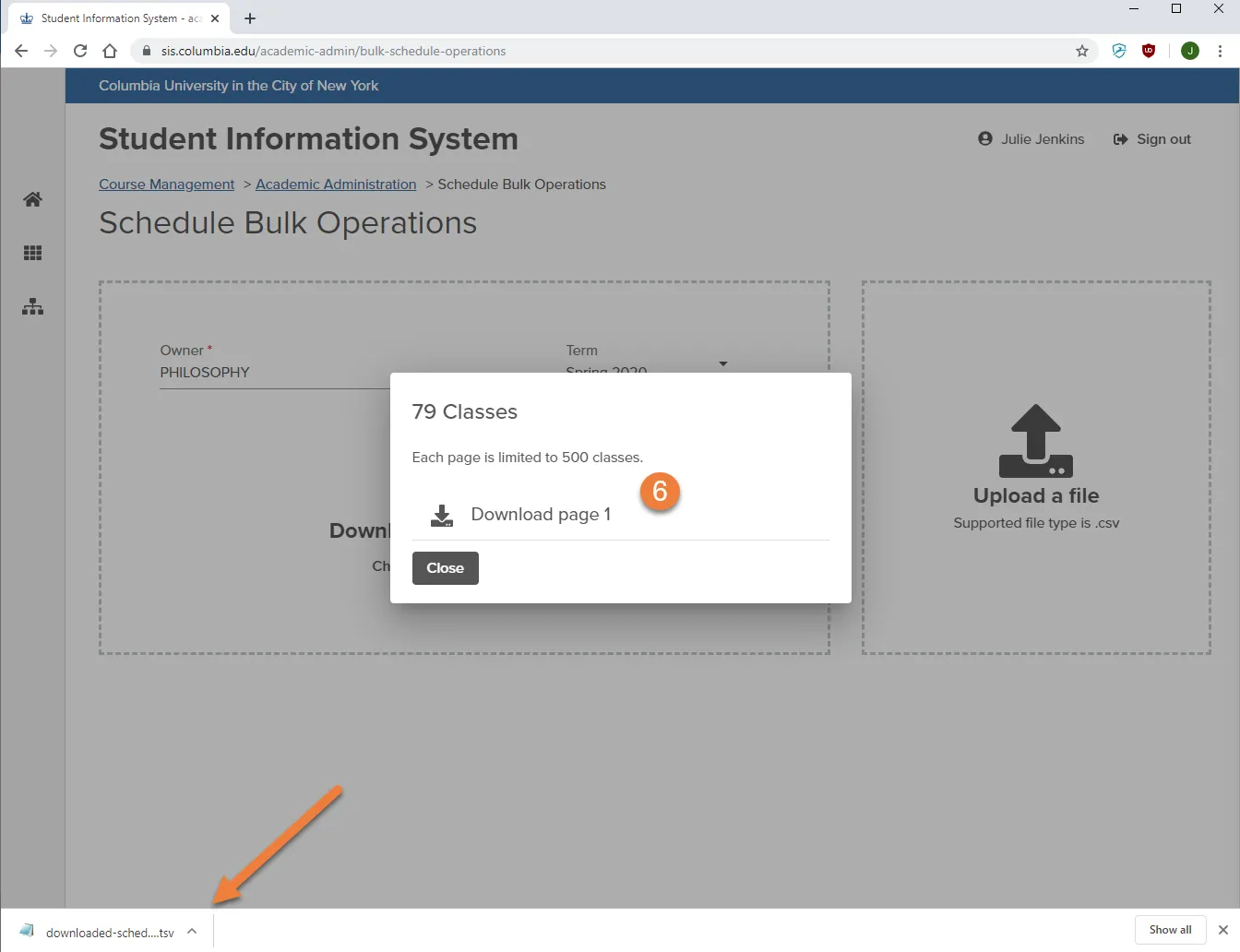
6. Click Download page 1
- if there are more than 500 classes in a term, there will be multiple files to download
- the file(s) will be saved on your desktop or download folder
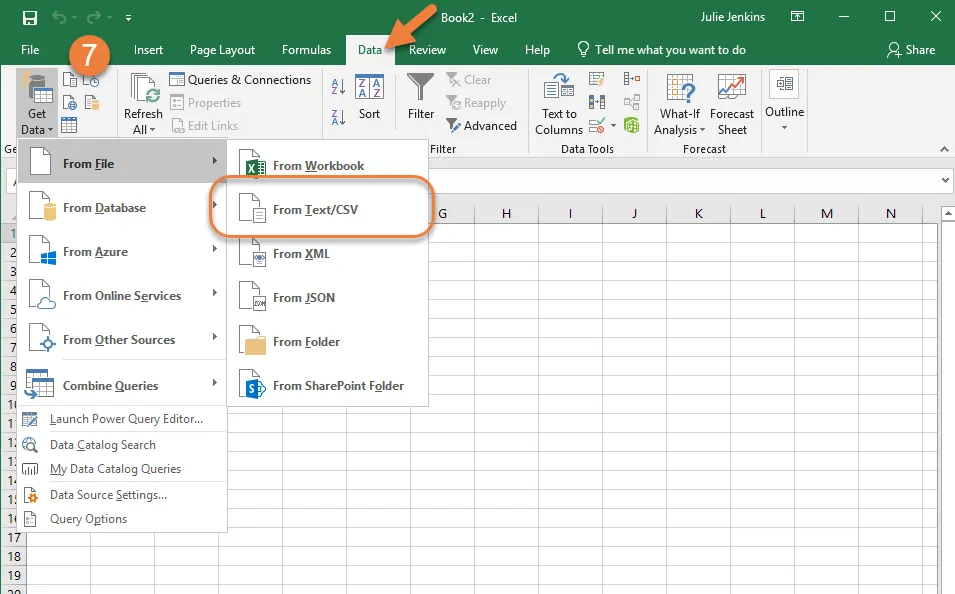
7. Import Data to Excel
- open a new Excel sheet.
- Click Data --> Get Data --> From File --> From Text/CSV
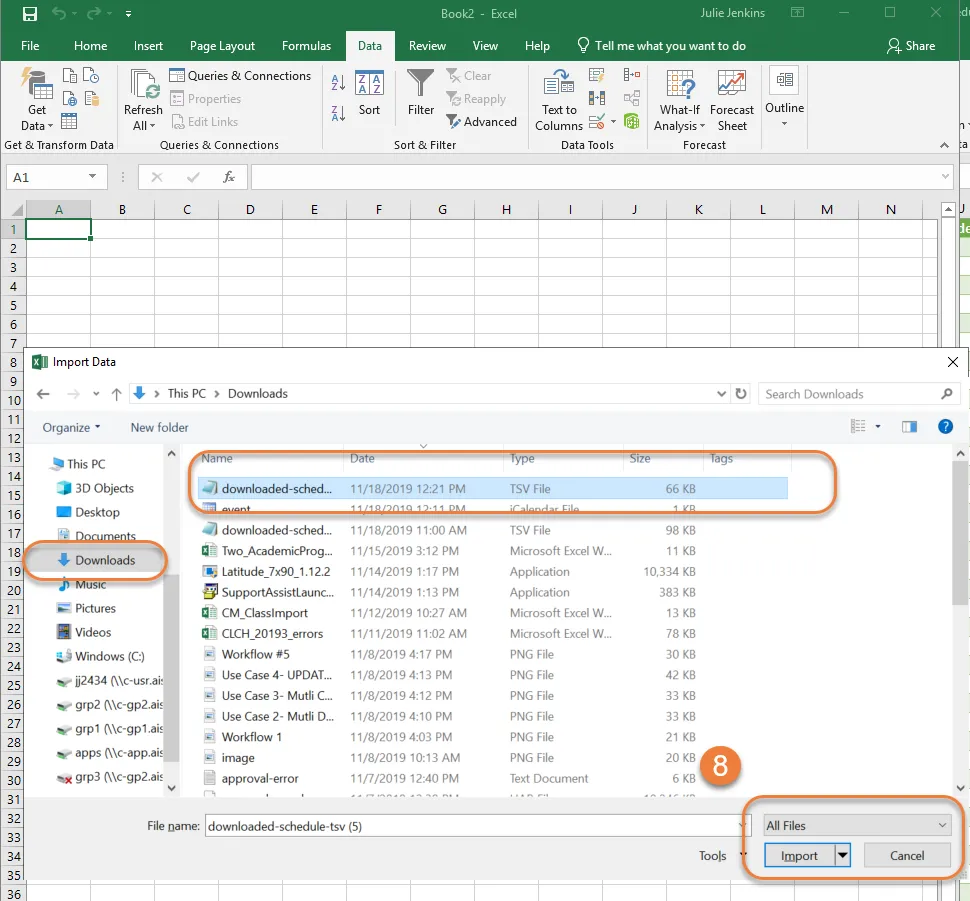
8. Import the file downloaded from Course Management
- Make sure File Type is set to 'All Files'
- Click Import
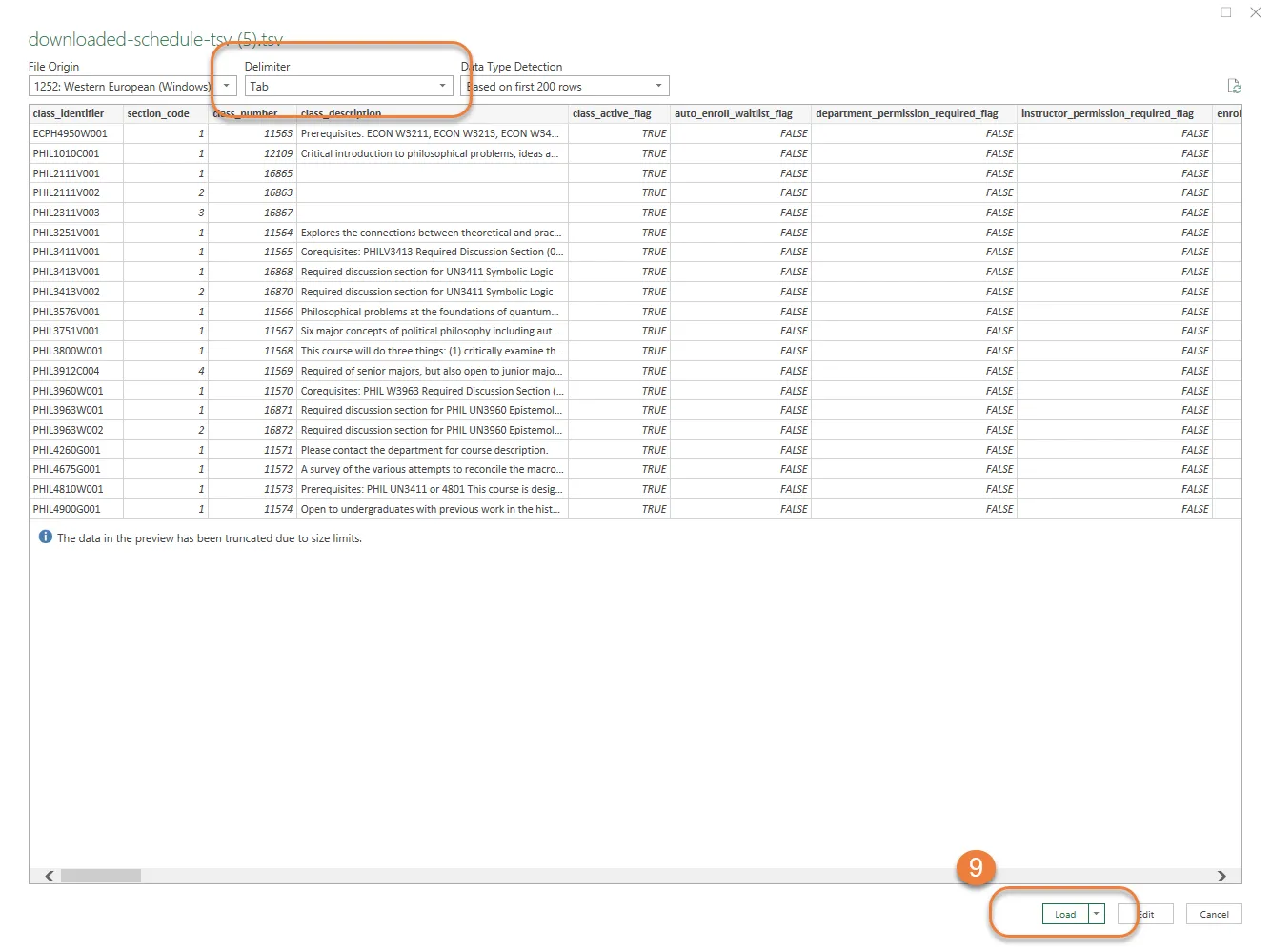
9. Load the data into Excel using the Tab Delimiter parameter